Design Practice · AI Workflow

UX Workflow Using AI Tools

I leverage AI tools to accelerate and innovate my UX design workflow. This site includes past case studies that demonstrate my process and thinking. With the strong emergence of AI tools, not only the design process is changing, but also people and product dynamics. I have been actively evolving with this transformation, and this page captures the workflow I use when starting and driving a new project journey.

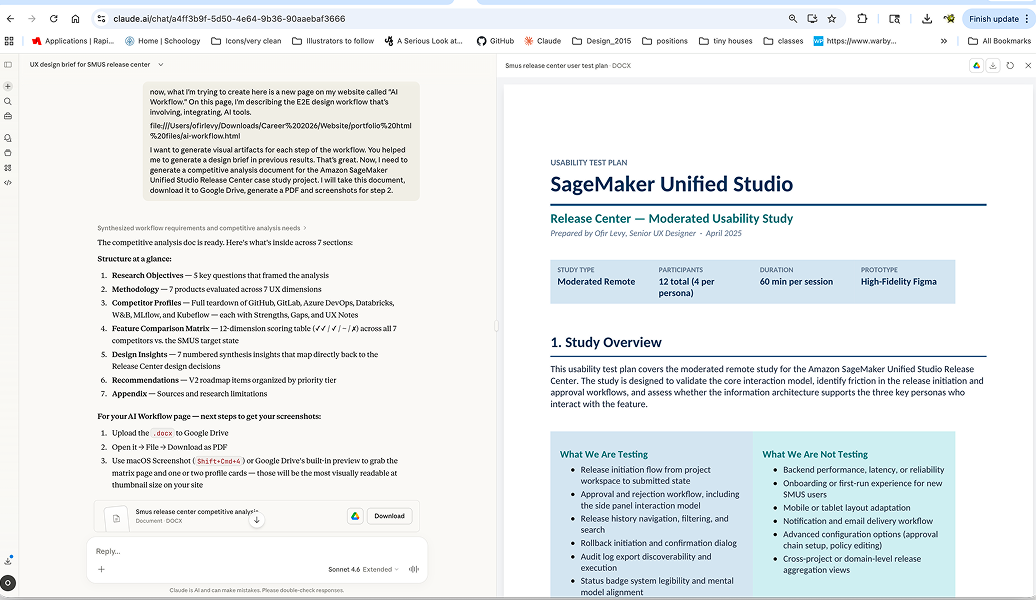
Claude workflow reference
Claude workflow output
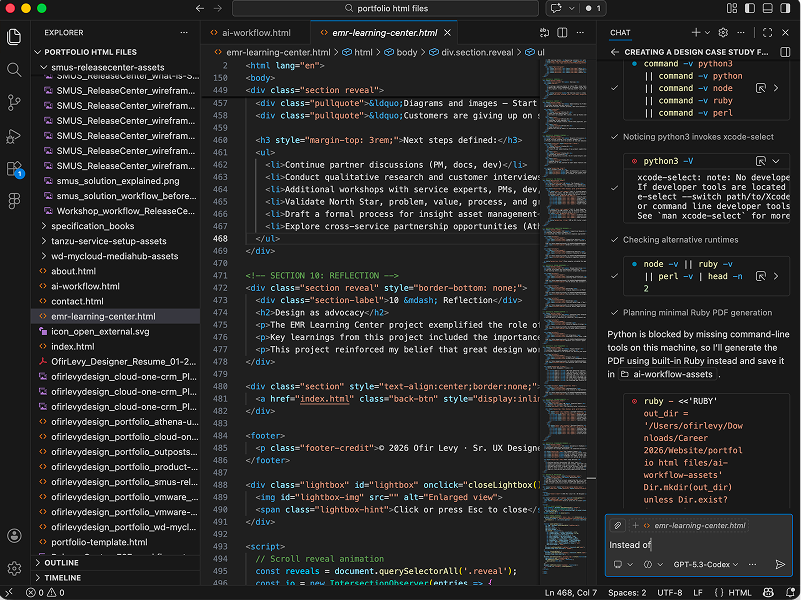
VS Code vibe coding workflow reference
VS Code vibe coding session
Workflow Foundation
I treat project work as structured practice: clear objectives first, then production. Strong project documentation and a high-quality knowledge base improve prompting quality, strengthen collaboration, and reduce drift across the full lifecycle from ideation to post-production improvement.

Current AI-assisted UX workflow

Step 1 · Project specification and documentation

Everything starts with organization and clarity. I draft a project brief with objective, customer problem, and initial solution direction. Even as AI reveals additional insights later, solid specs at the start are essential. I use Notion, Claude, ChatGPT, or Amazon Quick Suite to build this foundation and make prompts more precise and effective.

Open external artifact ↗
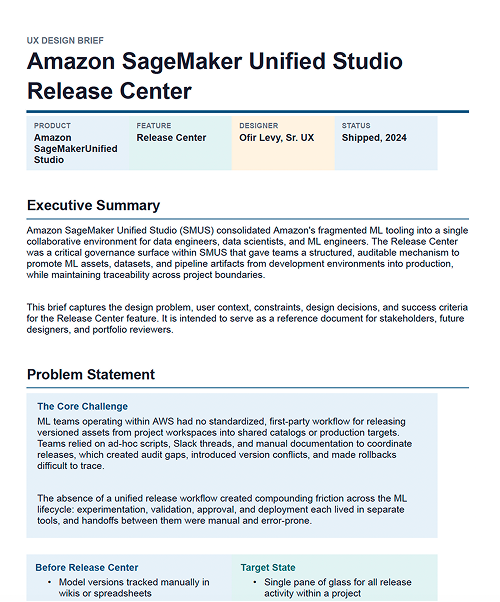
Step 1 artifact preview
Step 2 · Persona clarification, competitive analysis, and research

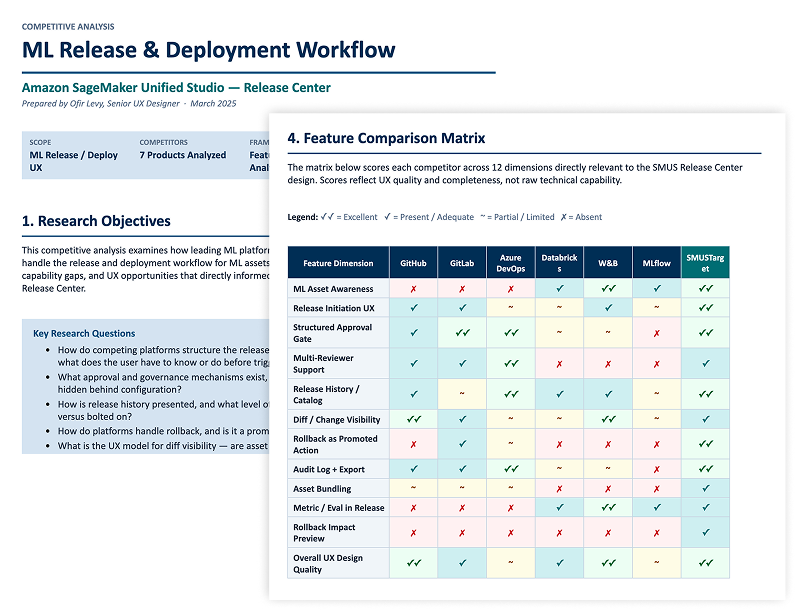
I use LLMs to deepen user and market understanding by importing project specs and prompting for robust competitor analysis and persona artifacts. I ask for complete end-to-end user stories (user, problem, solution, growth) to align partners quickly. All artifacts are added to a project knowledge base that travels with the project lifecycle.

Open external artifact ↗
Step 2 competitive analysis preview
Step 3 · Problem-area brainstorming and ideation

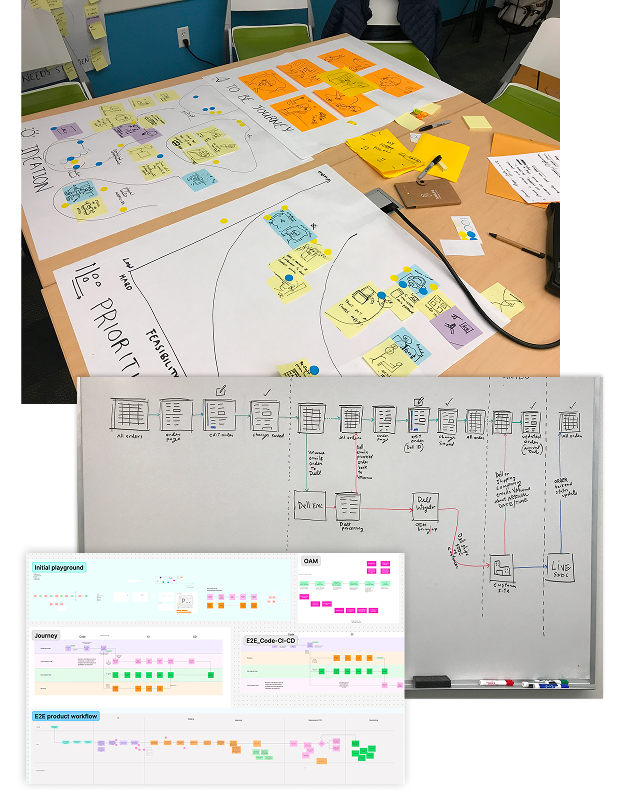
I intensify collaboration with PMs, developers, and designers. Using FigJam (with AI support), I create collaborative boards for mood boards, journeys, workflows, object-action models, IA diagrams, and early “napkin” sketches. Nothing is built in a vacuum; this stage is partnership-driven by design.

Step 3 collaboration preview
Step 4 · Workflows and rough wireframes

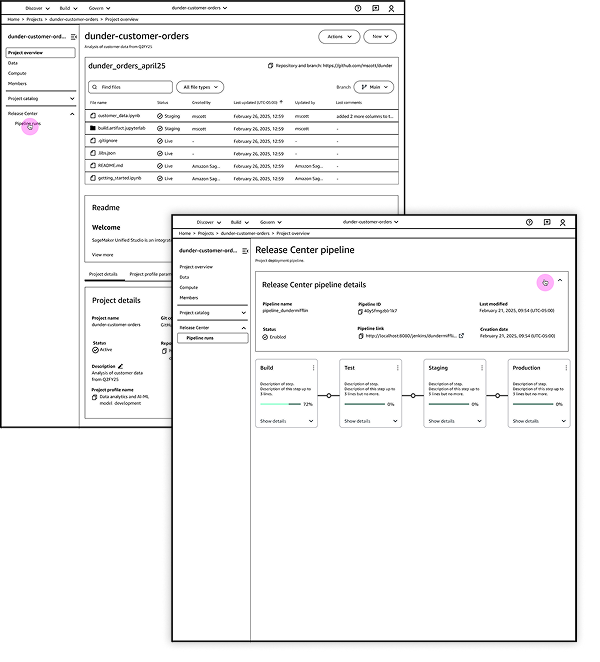
With a stronger knowledge base, I begin workflow and wireframe generation in my VS Code IDE, vibe coding with the latest ChatGPT Codex, Claude Opus or Sonnet, or Gemini to generate artifacts. I reference project artifacts and MCP-enabled tooling to generate relevant outputs quickly. I also pull in product design system context early to move toward accurate structures.

Open external artifact ↗
Step 4 workflow and rough wireframe preview
Step 5 · Higher-fidelity wireframes, mockups, and shareable prototype

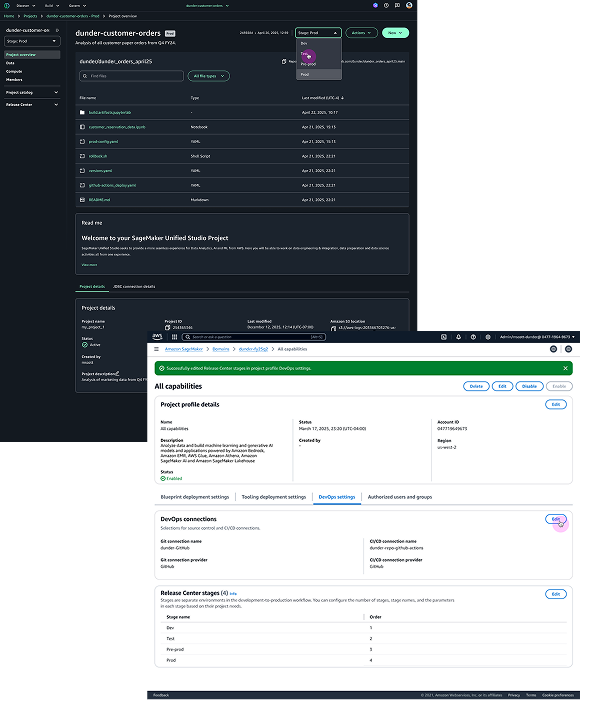
At this point I generate key screens, interactions, and transitions and start assembling a realistic prototype path. I import generated screens into Figma for iterative prototyping and visual correction, including pixel and component refinement using the design system. I continuously share artifacts for alignment and decision-making through publishable prototype links for cross-functional review.

Open external artifact ↗
Step 5 higher-fidelity wireframe preview
Step 6 · Testing and validation

With a working prototype, I evaluate for accessibility and UX heuristics. My knowledge base includes WCAG and heuristic frameworks (including Nielsen Norman references). In AWS contexts, I can use Quick Suite validation spaces to upload prototypes and generate structured evaluation reports for teammates and correction planning.

Open external artifact ↗
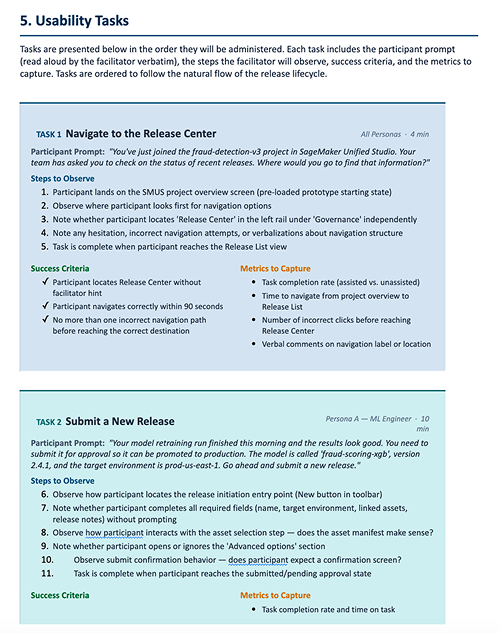
Step 7 user testing preview
Step 7 · Post-production validation and improvement loop

I generate testing scripts and surveys with AI tools in VS Code (ChatGPT Codex, Claude Opus or Sonnet, or Gemini), and with Quick Suite when relevant. I collect feedback and feed results back into the project knowledge base. Then I prompt for improvement recommendations, apply corrections, and continue iterative improvement toward stronger production outcomes.

Closing Note

This workflow is intentionally adaptive. AI accelerates output, but the core remains the same: clear problem framing, strong collaboration, careful validation, and disciplined iteration with users and partners.

← All work