Zero Motorcycles · 2014 Mobile App · UX Design · iOS & Android

Zero Motorcycles Ride Dashboard App

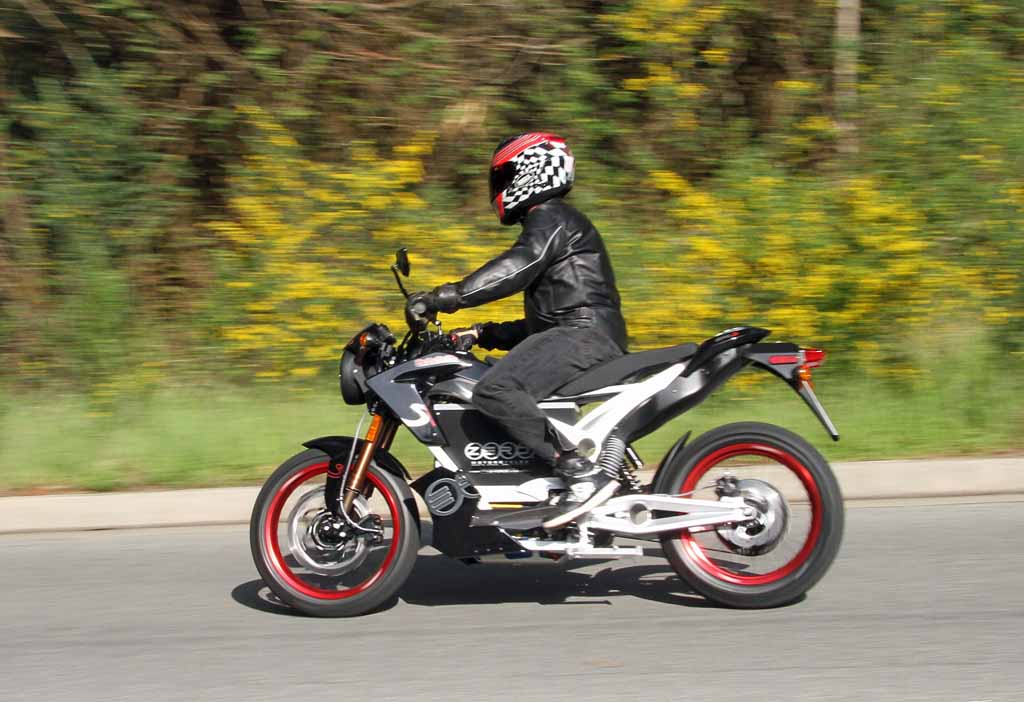
Zero Motorcycles builds some of the most powerful all-electric bikes on the road. But their riders had a problem: the physical dashboard gave them almost nothing to work with. I designed a Bluetooth-connected mobile app that became the digital brain of the ride — a live performance dashboard, trip planner, and riding companion that connected the rider to their machine in ways the bike’s hardware alone never could.

Platform
iOS & Android
Year
2014
My Role
UX Design Lead
Team
PM, Head of Design, iOS dev, Android dev
← All work

Project summary

Zero Motorcycles manufactures all-electric motorcycles known for silent power and immediate torque. The bikes were extraordinary, but they offered minimal data feedback to riders — a critical gap for customers trying to manage battery range, track performance, and understand their electric riding experience.

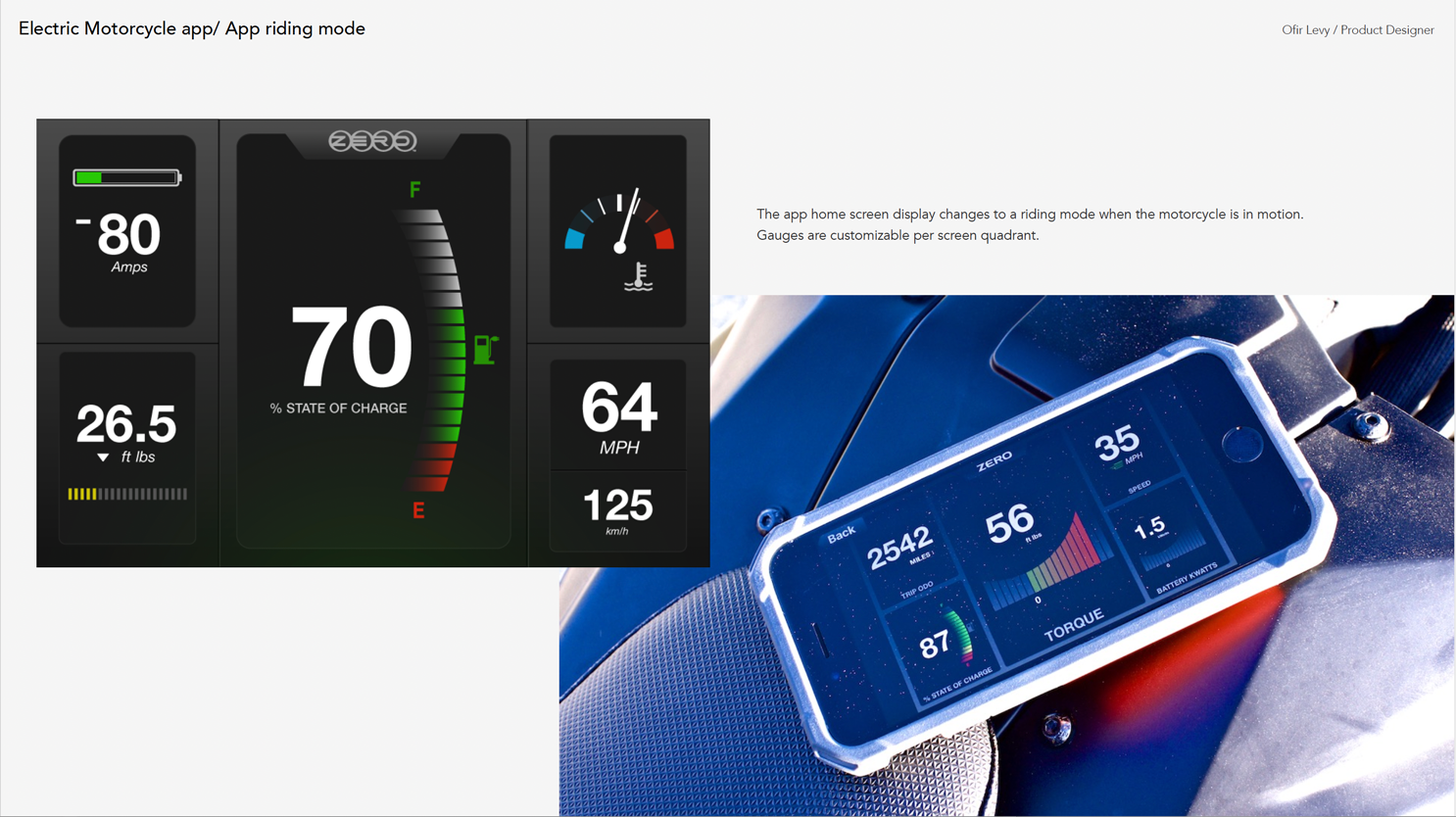
I designed a mobile dashboard app that connected to the motorcycle via Bluetooth. The moment the kickstand goes up, the app locks into a live ride. It tracks speed, battery state-of-charge, torque, motor temperature, and rider-defined stats in real time. Off the bike, it becomes a trip planner and historical data log. The app shipped for both iOS and Android, and was received with enthusiasm by Zero’s rider community.

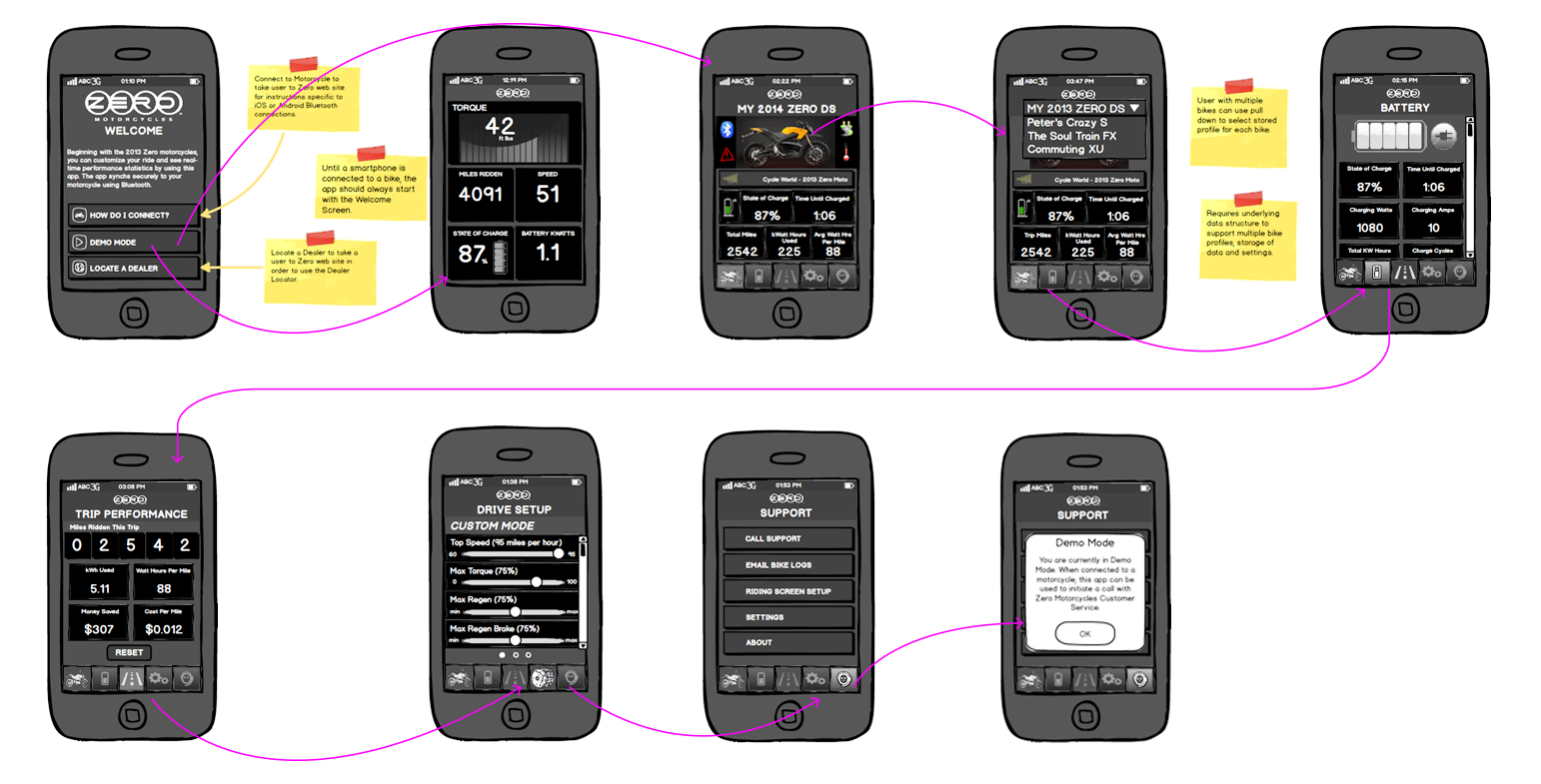
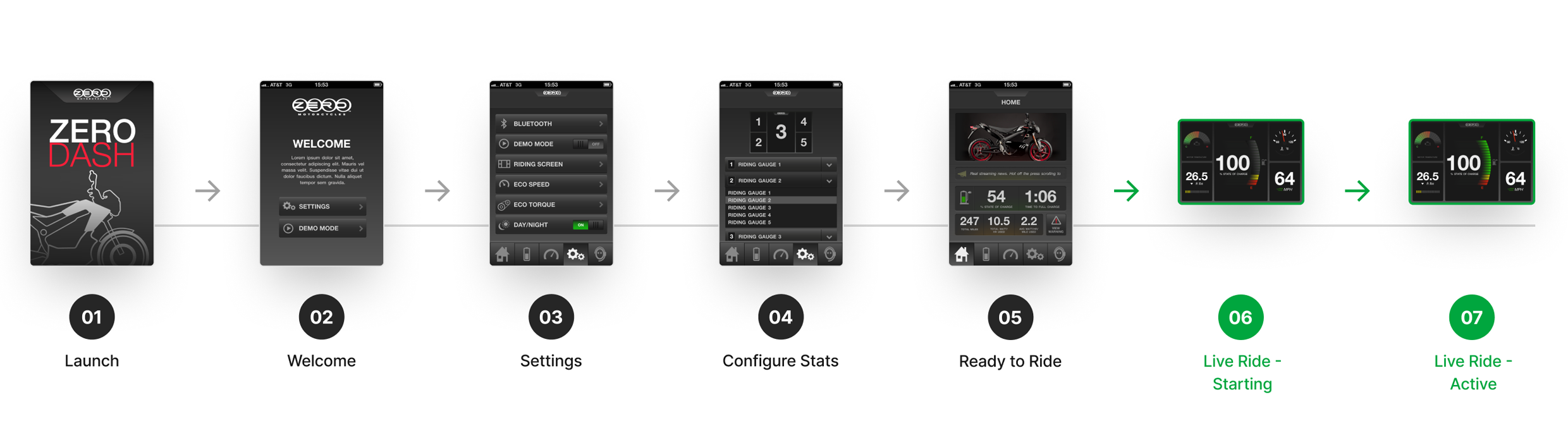
Zero Motorcycles app final screens E2E workflow

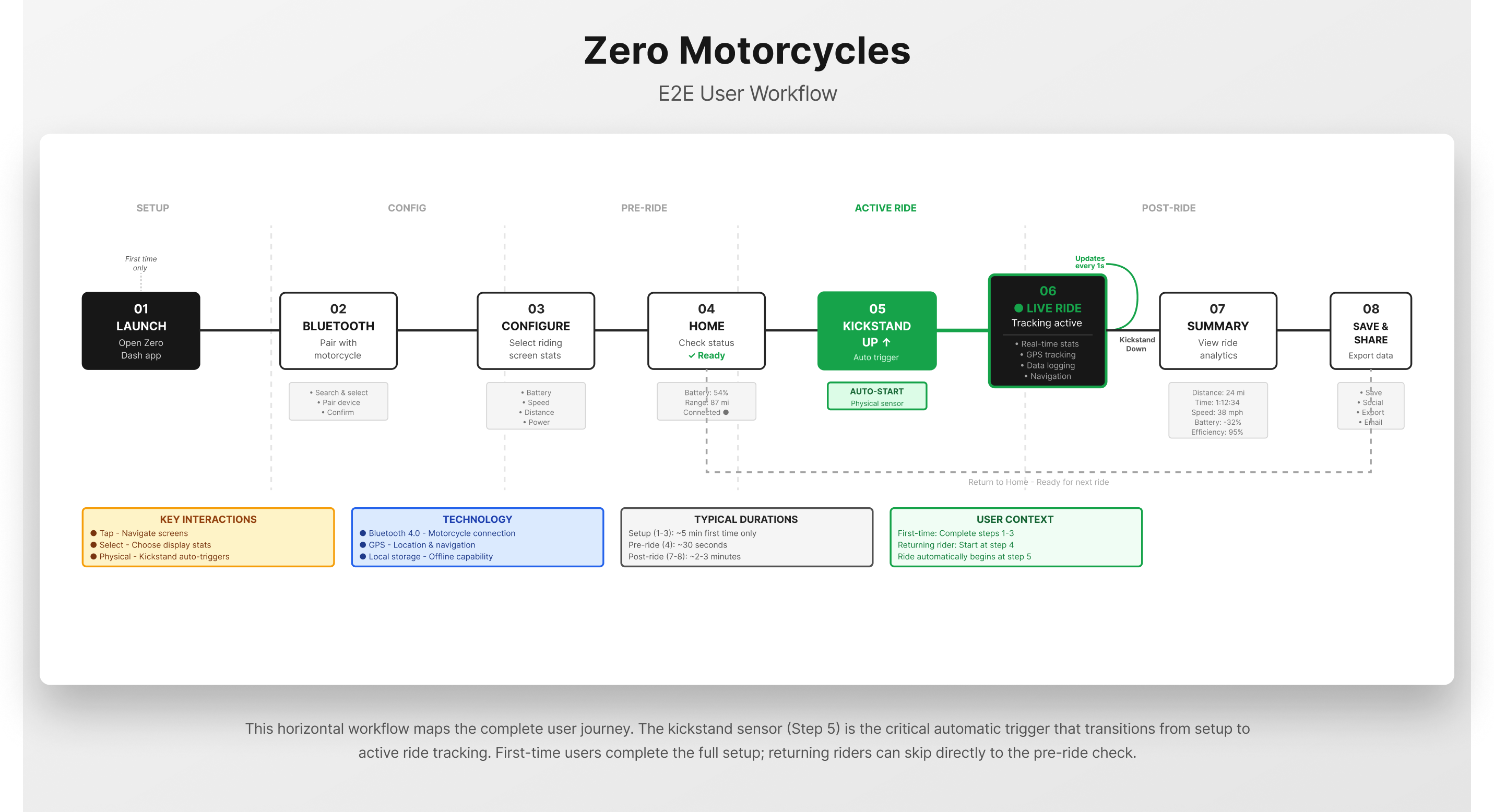
Project E2E workflow

Step 01

Rider Research & Discovery

Field research with Zero Motorcycles riders to understand how they actually interact with their bikes, what data they craved, and where the physical dashboard left them underserved.

Step 02

Problem Framing

Synthesizing research into a clear design problem: riders needed a natural, digital extension of the motorcycle that bridged the gap between the electric experience and meaningful performance insight.

Step 03

User Workflow & Storyboard

Mapping the rider’s end-to-end journey to identify key touchpoints, mode transitions, and design principles — followed by a hand-illustrated storyboard bringing the workflow to life as a narrative.

Step 04

Information Architecture

Defining the app’s structural backbone — how screens, modes, and data relationships organize around the core live-ride and off-ride contexts that shape the entire experience.

Step 05

Wireframing

Iterative low-fidelity wireframes for key flows: ride setup, live dashboard configuration, trip stats review, battery monitoring, and settings — validated with the team and stakeholders before visual design.

Step 06

UI Design & Mocks

High-fidelity design iterations across dashboard modes, gauge components, and screen states — building toward a dark-themed, performance-focused visual system tuned for readability at speed.

Step 07

Final Comps & Delivery

Pixel-precise final screens delivered for iOS and Android development, including a full component library, gauge system, and interaction specifications for the dev team.

Step 08

Release & Continuous Learning

Post-launch press coverage, rider feedback collection, and ongoing collaborative research with the Zero customer community to evolve the app experience over time.

01 — Context & Problem

Riding blind on an electric machine

Zero Motorcycles make extraordinary bikes. Silent, fast, and exhilarating — the electric powertrain delivers instant torque with zero mechanical noise. But that silence came with a cost: riders had almost no visibility into what was happening beneath the bodywork.

The physical dashboard showed only basic data. Battery range anxiety was real and common. Riders couldn’t track their performance stats, configure what they saw, or review their trips after the fact. For customers who were paying a premium for a technology-forward motorcycle, the data gap felt like a broken promise.

The app needed to solve this by becoming the rider’s digital cockpit — an intelligent, Bluetooth-connected extension of the bike that worked both on the road and off it.

“Riders were investing in a technology-forward machine but had almost no visibility into how it performed. The app was the missing interface.”
The Challenge

Minimal dashboard, maximal need

The physical instrument panel offered only rudimentary feedback. Riders of electric bikes have fundamentally different data needs than combustion riders — especially around battery, range, and power consumption.

The Context

A new kind of riding experience

Electric motorcycles require riders to develop new mental models around energy management, regenerative braking, and battery state. The app had to educate as well as inform, without adding cognitive load mid-ride.

The Opportunity

A digital extension of the machine

Bluetooth connectivity turned the smartphone into a live instrument cluster — one that could be personalized, configured before the ride, and reviewed long after the kickstand was back down.

02 — Research

Understanding the electric rider

Research began with direct access to Zero Motorcycles riders — early adopters who were deeply invested in the technology and vocal about what they needed. We conducted interviews, rode alongside participants, and studied how they currently compensated for the dashboard’s limitations.

Key findings: riders wanted control over what they saw during a live ride. They wanted to set up their dashboard before departure, not while moving. They tracked their stats obsessively and wanted historical data to compare trips. Battery state-of-charge was the single most important data point — range anxiety was the defining pain of the electric experience.

We also studied how riders interacted with other performance tools — GPS devices, cycling computers, sports watches — to understand what conventions translated and what needed to be rethought for a motorcycle context.

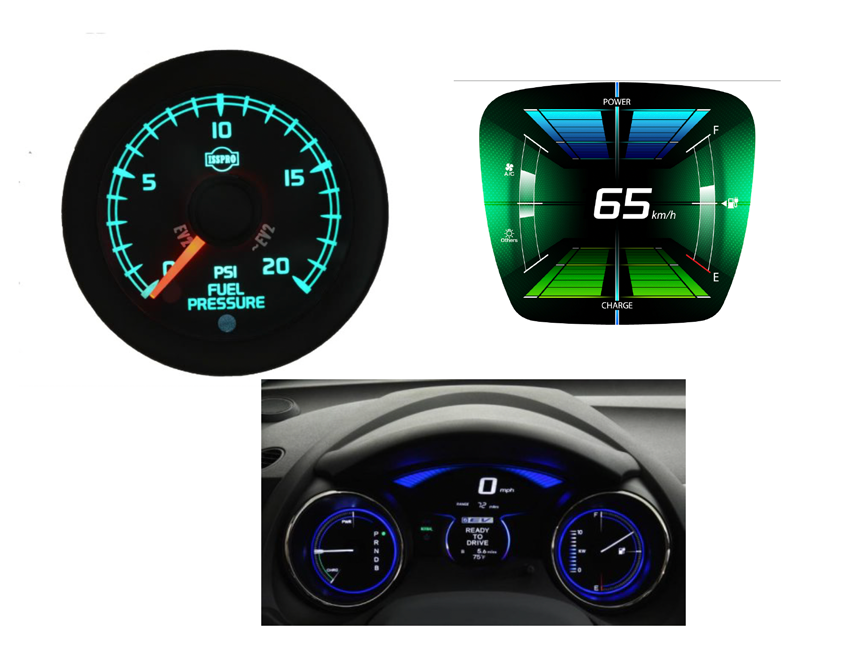
A significant part of this research phase was spent understanding the technology itself — how electric motorcycles operate, how their powertrains differ from combustion engines, what the onboard sensors expose, and how existing dashboard instruments communicated data to riders. Understanding the machine was inseparable from understanding the rider’s experience of it.

Research: motorcycle gauges and instrument study Research: Zero Motorcycles technology study
03 — Information Architecture

From objects and actions to a structured app

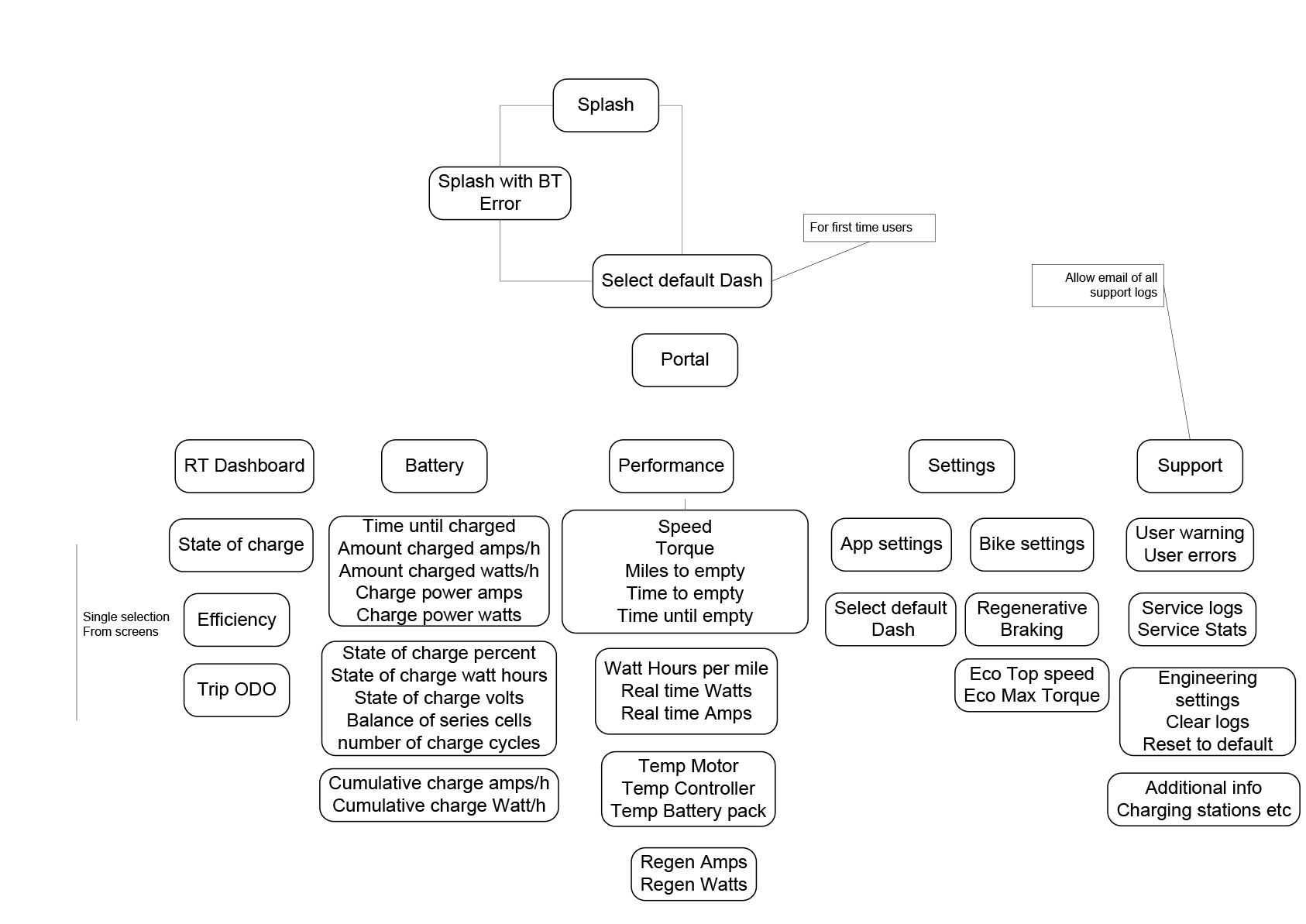
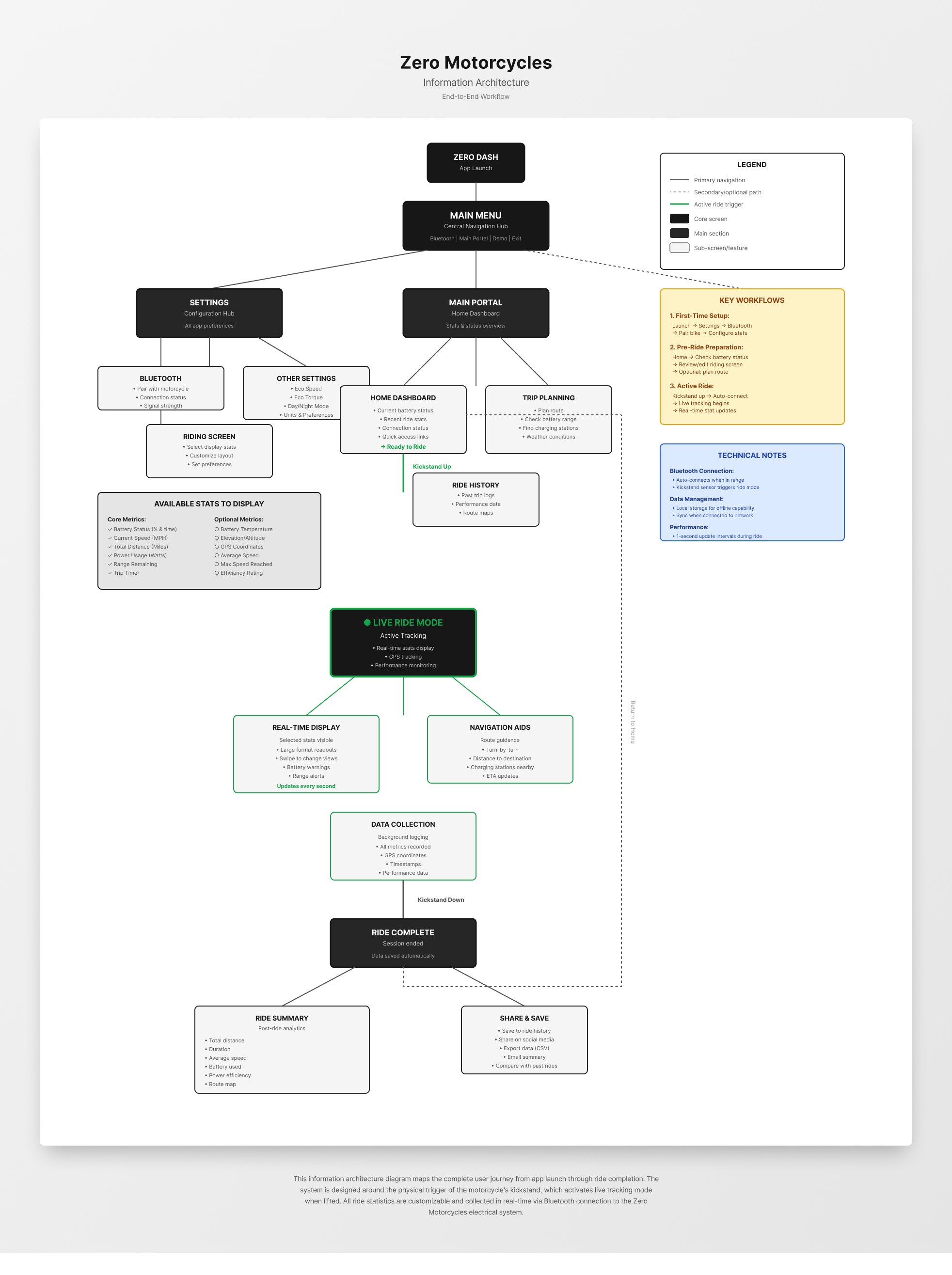
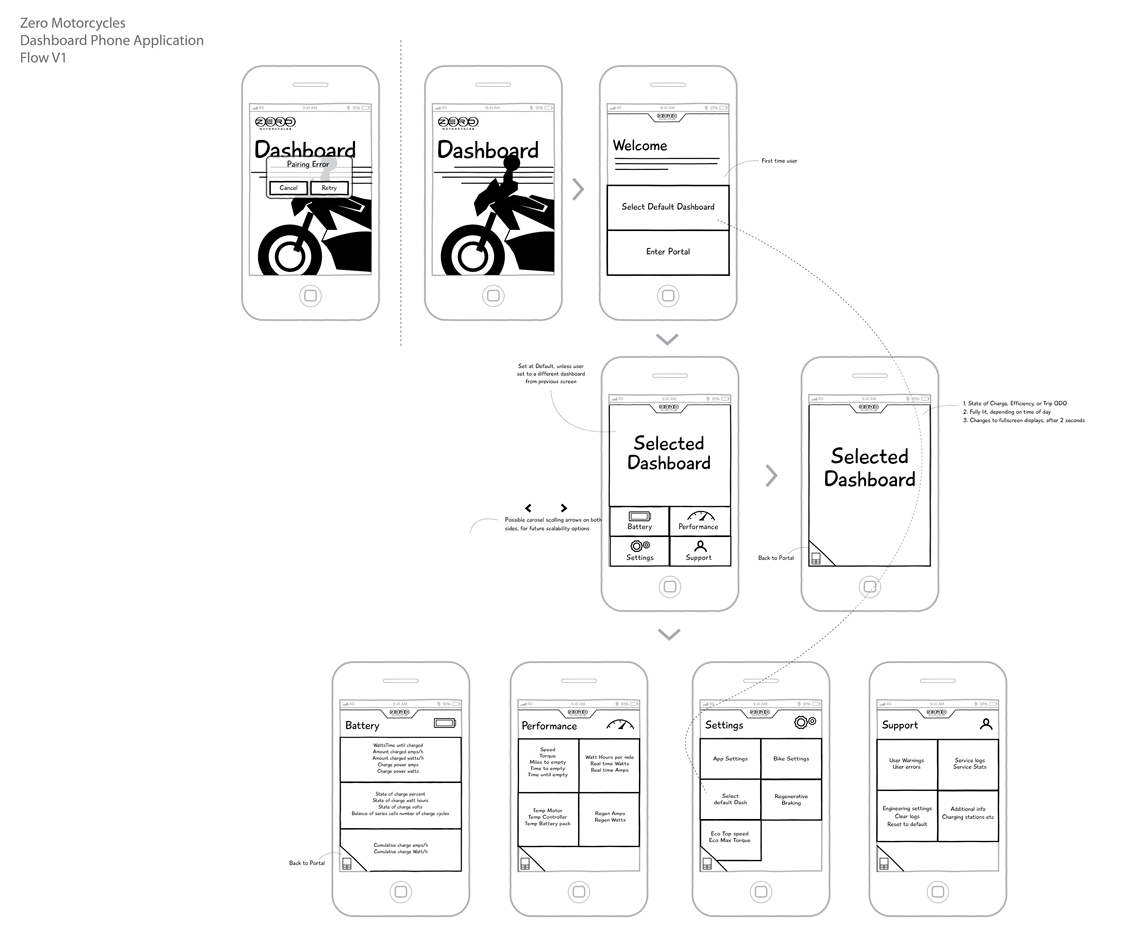
Research outputs fed directly into the information architecture work. The first step was building an Object-Action Model — a rough framework mapping what riders cared about (battery, speed, trip, performance) against the actions they needed to take (configure, monitor, review, compare). This anchored every structural decision in actual rider intent rather than assumed feature lists.

The final IA organized the app around two primary contexts: the off-ride state (planning, setup, review) and the live-ride state (active monitoring, glanceable data). Every screen lived in one of these two modes. The live-ride dashboard was intentionally top-level and full-screen — once the kickstand was up, everything else stepped aside.

Major sections: Dashboard (live ride), Trip Setup & Planning, Performance Stats, Battery & Range, Settings & Personalization, and Support.

Object-Action Model architecture sketch Zero app information architecture final
04 — User Workflow

Charting the rider’s end-to-end journey

Before committing to any structural decisions, the full user workflow was mapped out — every touchpoint from the moment a rider approaches their bike to the moment they review their stats after the ride. This gave the team a shared, concrete picture of where the app lived in the rider’s life and what it needed to do at each step.

The workflow surfaced a critical split: the rider’s needs before a ride (setup, configuration, planning) are fundamentally different from their needs during one (glanceable data, zero cognitive load). Designing for both required a clear mode separation baked into the core architecture.

Mapping the workflow also revealed the natural triggers in the experience. The kickstand-up moment was identified here as the automatic transition point into live-ride mode — riders should never need to tap a “Start Ride” button. The bike signals the app. This principle, surfaced in the workflow phase, shaped every interaction decision that followed.

“The kickstand-up moment is the natural trigger. The bike tells the app the ride has begun.”
Zero app user workflow sketch
05 — Sketching the Experience

Getting ideas onto paper

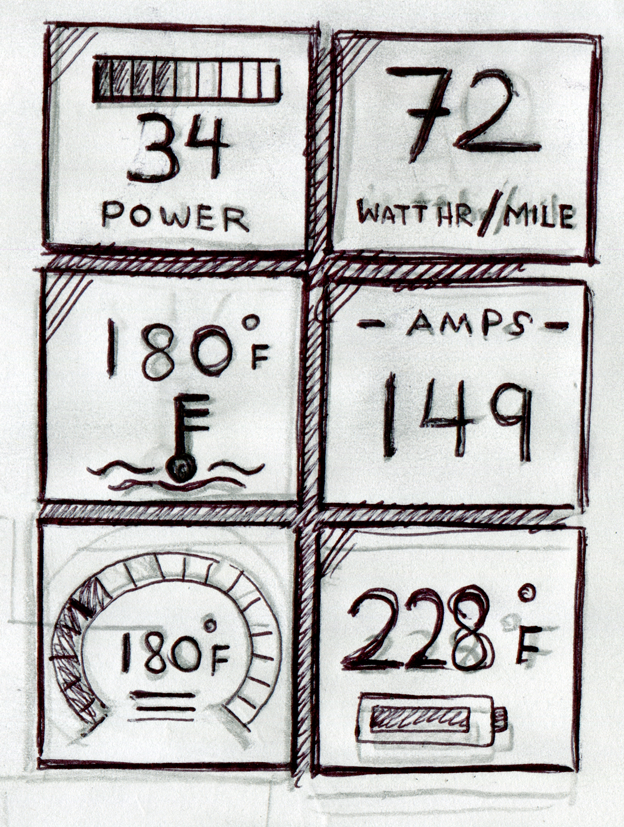
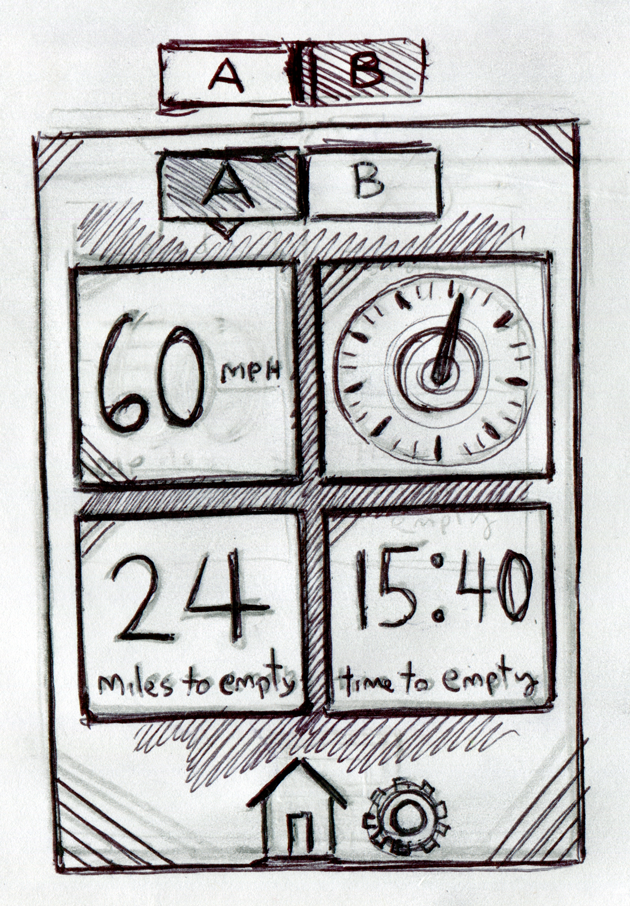
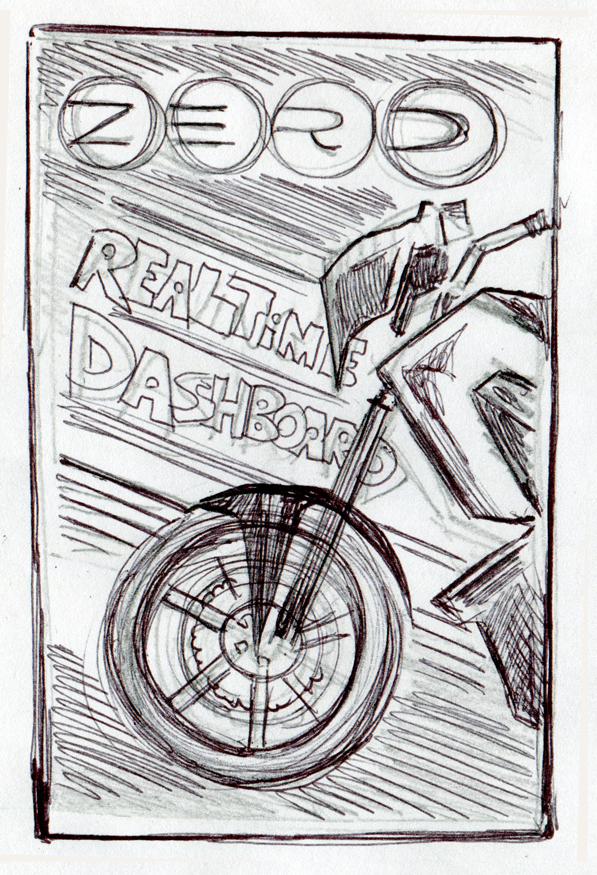
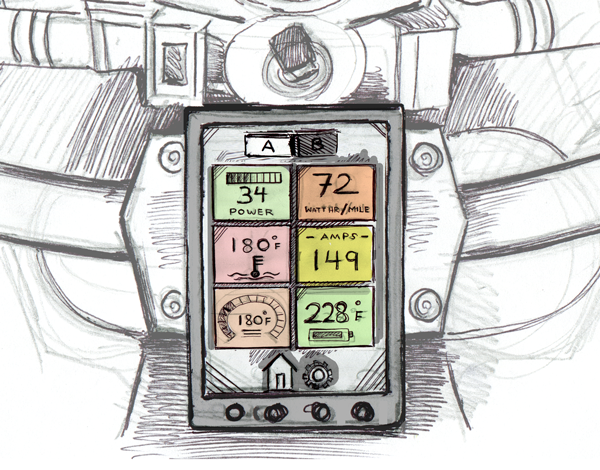
With the workflow and architecture defined, early sketching brought the interface to life for the first time. These hand-drawn explorations focused on the two most critical surfaces in the app: the gauge dashboard and the splash screen. Sketching at this stage was fast and deliberate — the goal was to explore layout, hierarchy, and the relationship between data elements before committing to pixels.

The gauge screens explored how to tile multiple stats in a single glanceable view — a grid of configurable data tiles that the rider could set up before departure. The splash screen sketch focused on the first impression: a strong brand moment that felt appropriate for a performance motorcycle app without adding friction to the time-sensitive act of starting a ride.

Gauge screen sketch
Gauge screen sketch variation
Splash screen sketch
06 — Storyboarding the Experience

Six frames that tell the whole story

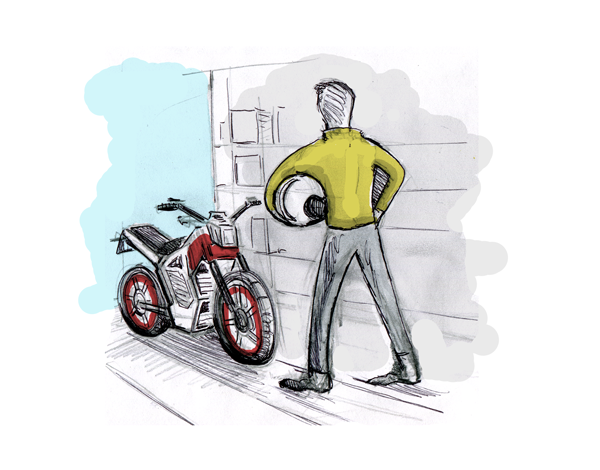
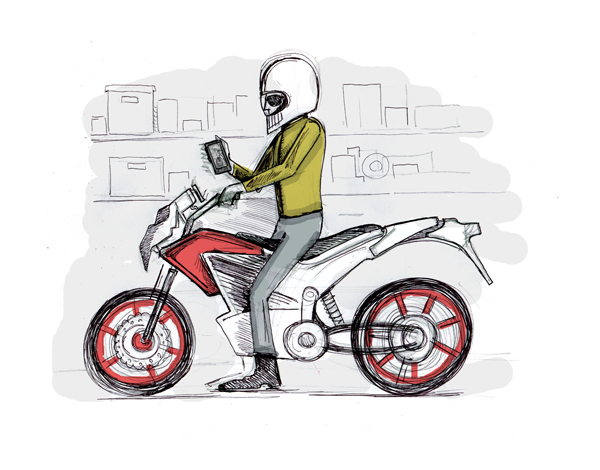
Before a single wireframe was drawn, the experience needed to be felt as a narrative. The storyboard walked through the complete rider journey — from the moment they stand in the garage, helmet in hand, to the live dashboard displaying real-time power and temperature data mid-ride.

This storyboard became the shared language for the entire team. It grounded every subsequent design decision in a concrete human scenario, making it clear what the app needed to do and — equally important — when and how.

Six scenes. One continuous arc: get ready, set up the app, launch it, mount it, ride, and see your machine’s data come alive in real time. The storyboard confirmed the two-mode design split — setup before the kickstand goes up, live dashboard the moment it does.

Hand-illustrated for immediacy and approachability, the frames were used in stakeholder presentations to communicate the vision before any high-fidelity work began.

Storyboard frame 1: Rider in the garage, helmet in hand, approaching the bike
Frame 01

The pre-ride moment

Rider stands in the garage, helmet in hand. The bike is waiting. The ride hasn’t started yet — but the intent is there.

Storyboard frame 2: Rider on the bike, helmet on, setting up the app
Frame 02

Suited up, app in hand

Helmet on, sitting on the bike. The rider configures their dashboard on the phone before departure — while the kickstand is still down.

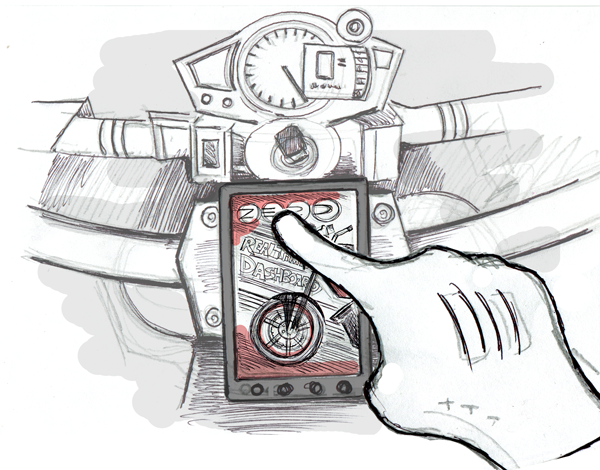
Storyboard frame 3: Hand holding phone launching the Zero app dashboard
Frame 03

Launching the app

The Zero Real Dashboard app opens. The bike’s physical instrument cluster is visible behind it — the contrast that defines why this app exists.

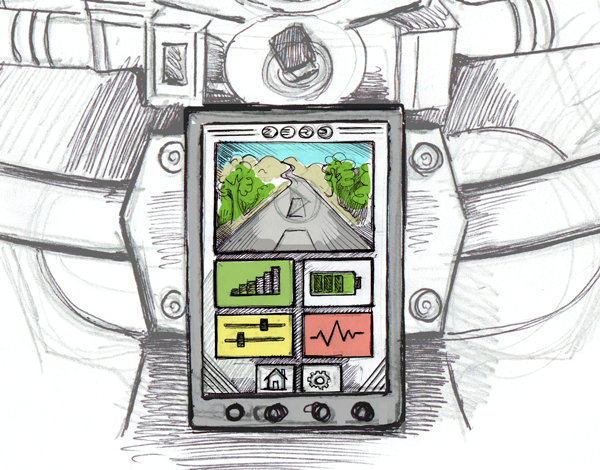
Storyboard frame 4: Phone mounted on handlebar showing app home screen
Frame 04

Mounted & ready

The phone is mounted on the handlebars. The home screen shows navigation, performance, battery, and settings — the full dashboard within reach.

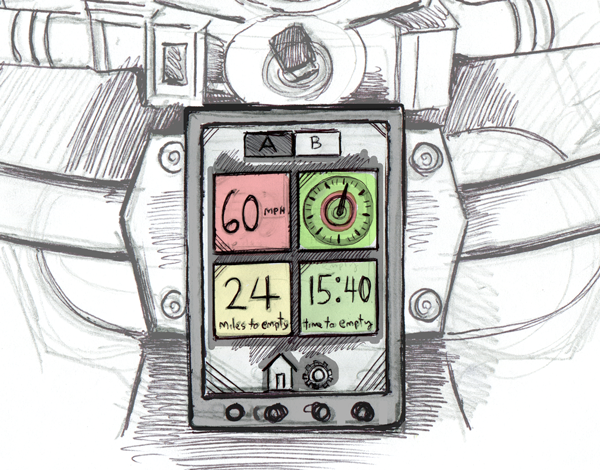
Storyboard frame 5: Live ride view A — speed, range, time to empty
Frame 05

Live ride — View A

Kickstand up. The live ride mode activates automatically. Speed, dial, miles to empty, and time to empty fill the screen in real time.

Storyboard frame 6: Live ride view B — power, watt-hr/mile, amps, temperature
Frame 06

Live ride — View B

Swipe to the second dashboard configuration: power output, watt-hr/mile efficiency, amps, and motor temperature — the deeper performance layer.

07 — Wireframes

Iterating on structure before investing in visual design

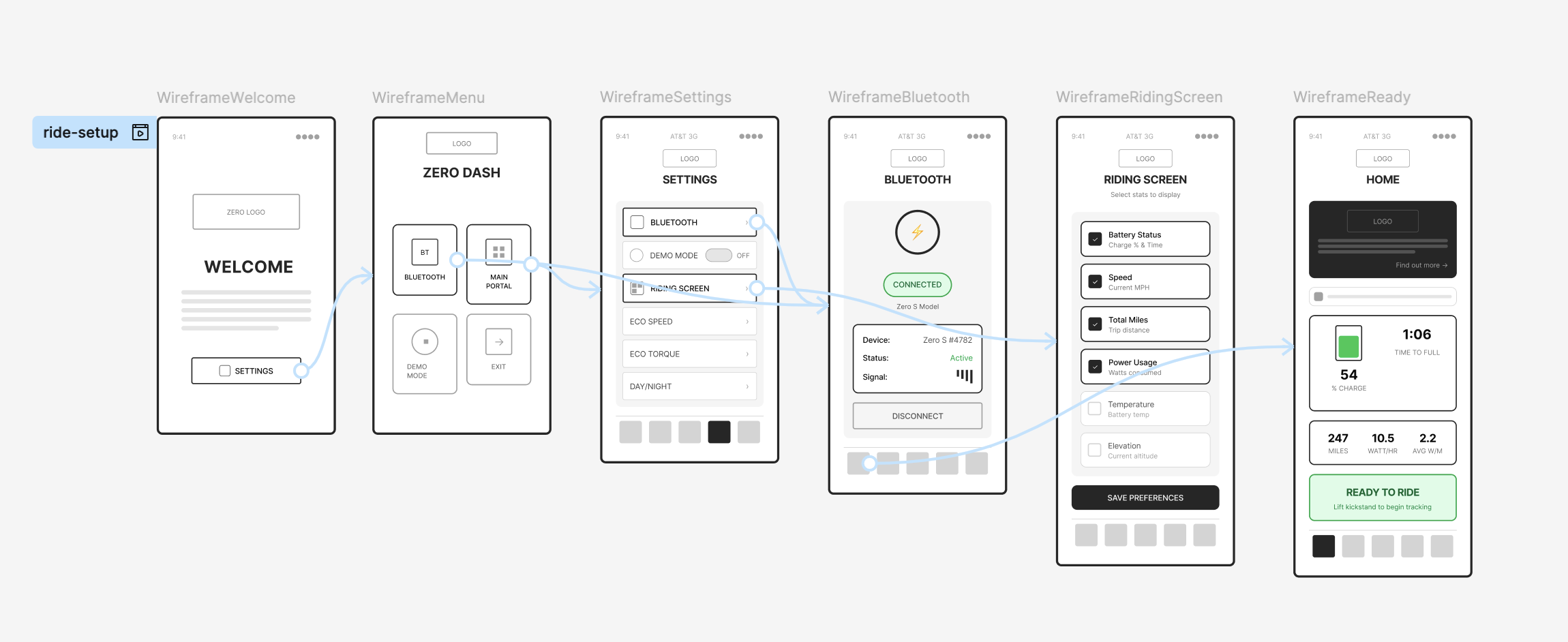
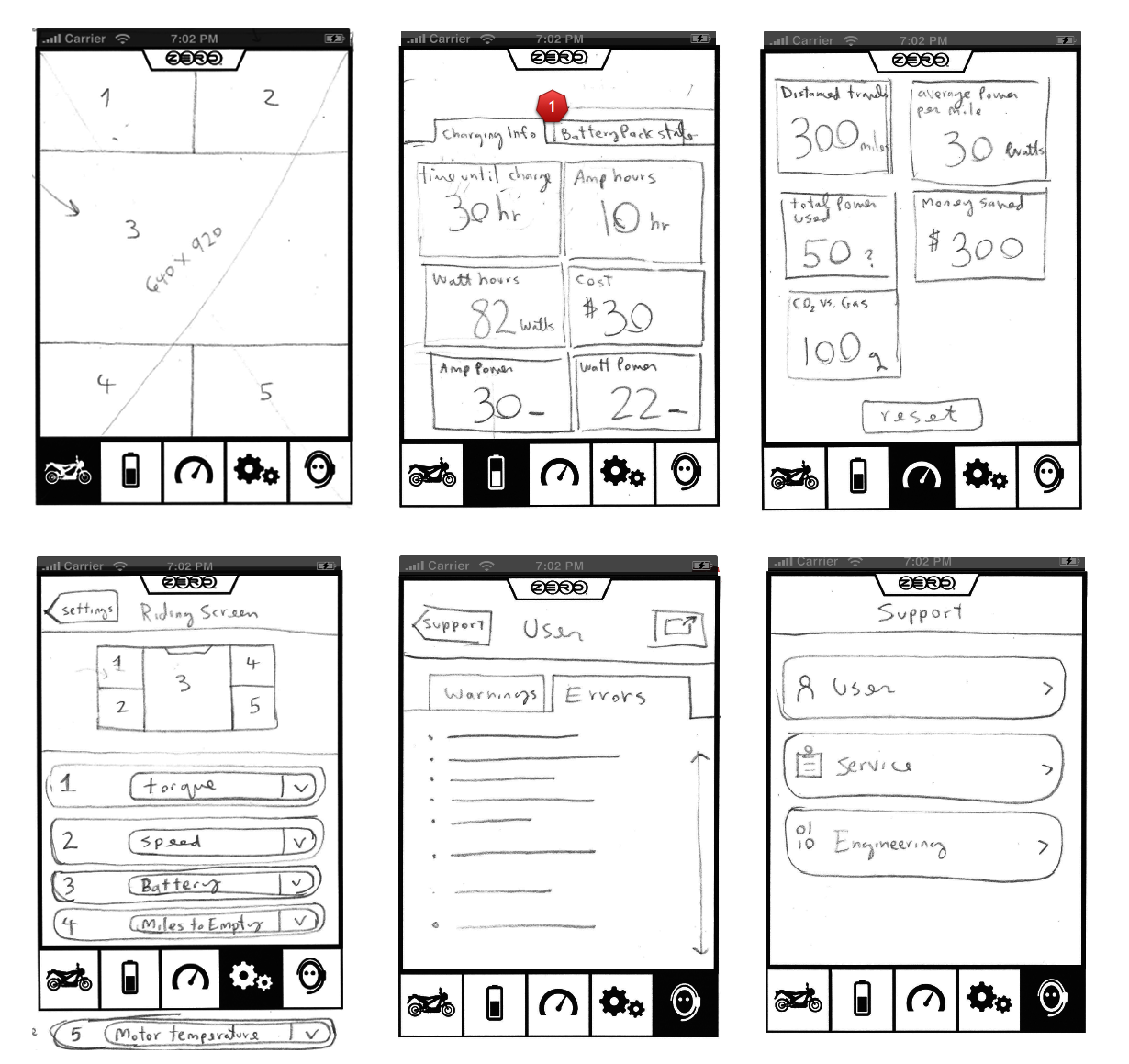
Wireframes explored the core interaction flows in detail: how a rider sets up their dashboard before departure, how the live ride mode activates and what it shows, how settings are surfaced and organized, and how post-ride data is presented for review.

The ride setup flow was particularly complex — riders needed to select which stats to show, in what arrangement, at what threshold. The wireframes tested multiple approaches to this configuration experience before landing on a drag-and-configurable gauge system.

We ran multiple rounds of wireframe review with the team and Zero’s Head of Design, iterating on the live-ride screen layout most intensively. The challenge: during a ride, the rider’s eyes are mostly on the road. Every piece of information on screen had to justify its presence with immediate, legible value.

The wireframe below specifically documents the live riding settings areas — which stats the rider can configure for their personal live-ride experience.

Zero app early wired workflow Zero app wireframe workflow iteration
Zero app wireframes Zero app wireframes iteration 2

Finding the right visual language for speed

The visual design direction was non-negotiable: this was a performance app for a performance machine. The UI needed to feel at home in the same context as the motorcycle — dark, precise, high-contrast, and immediately readable. Cluttered interfaces kill focus. On a motorcycle, lost focus costs more than time.

Design iterations explored gauge styles, type hierarchy for speed and legibility, color temperature for day and night riding, and how to make the stat-configuration experience feel tactile and satisfying without being complicated.

Component library

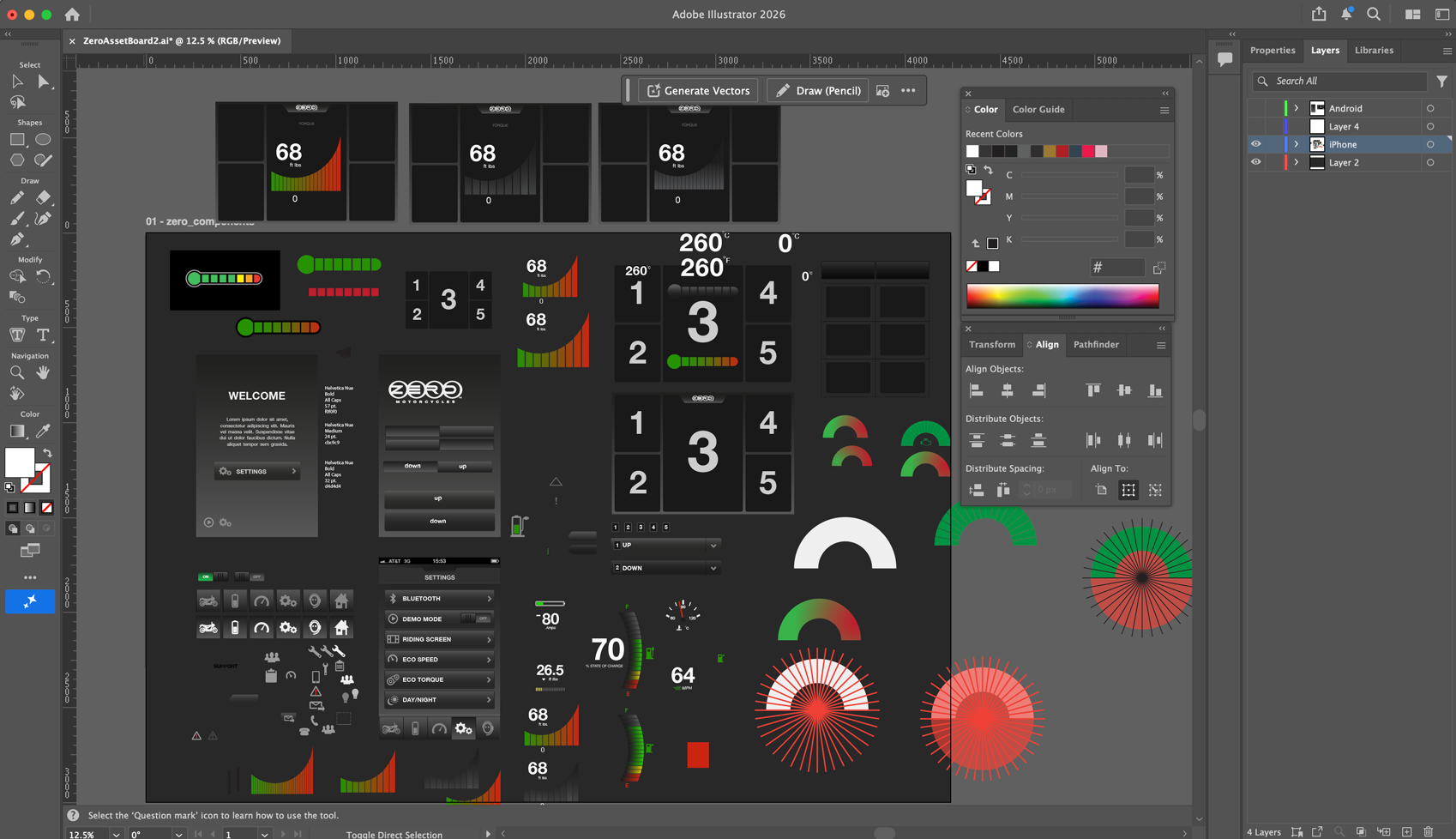
A dedicated component pass defined the full gauge library — each stat type (speed, battery, torque, temperature, time) had a purpose-built visual treatment designed for at-a-glance readability and consistent behavior across the dashboard grid.
Zero app component library

Adobe Illustrator artboard — the working canvas where I experimented with and built out the app’s design language and component library, iterating on gauge styles, color, and typography before translating them into final screen designs.

Dashboard & screen iterations
Dashboard mock iteration 1

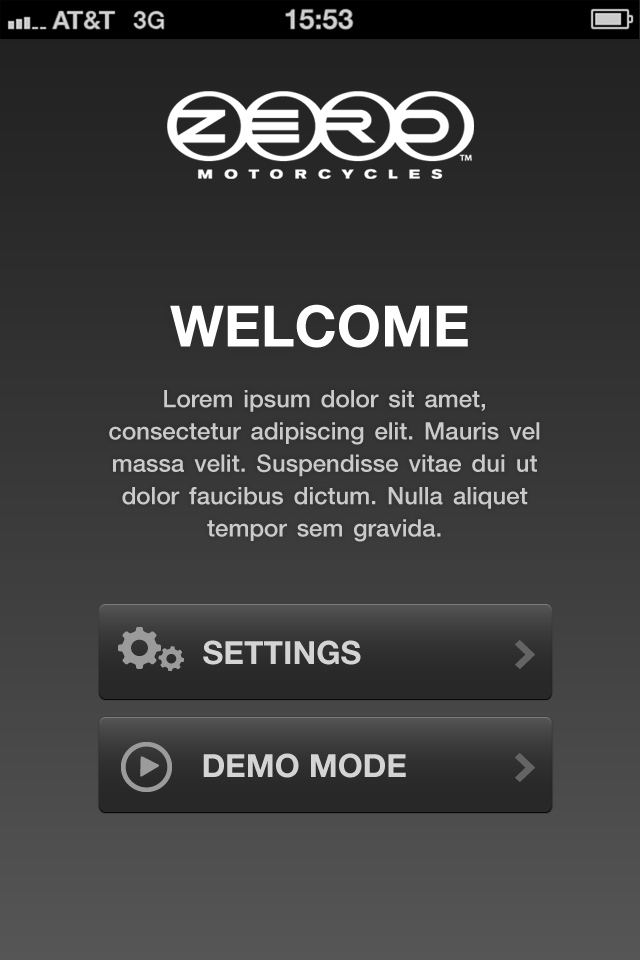
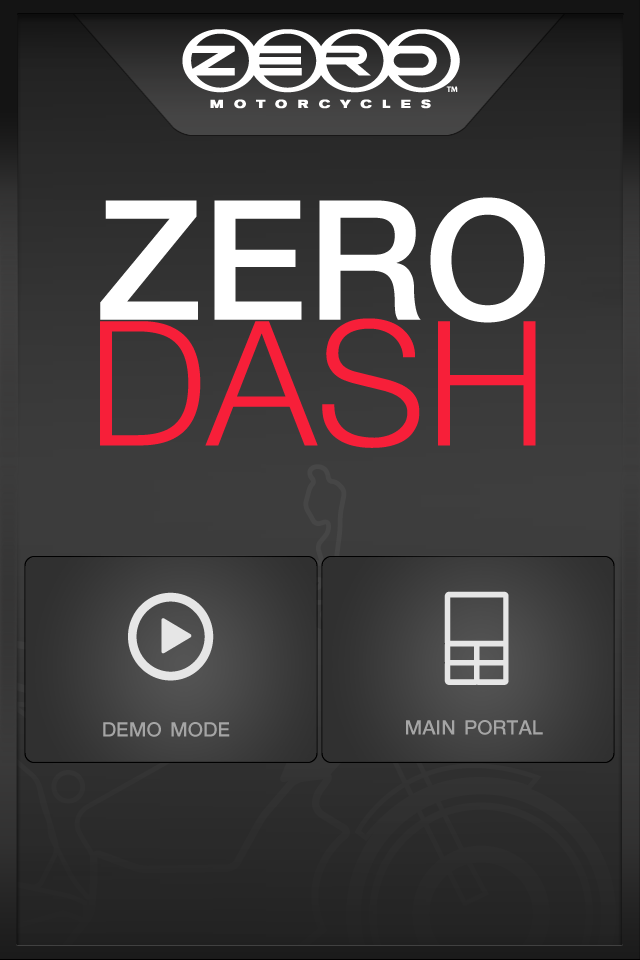
Iteration for the onboarding welcome “Get Started” screen.
Dashboard mock iteration 2

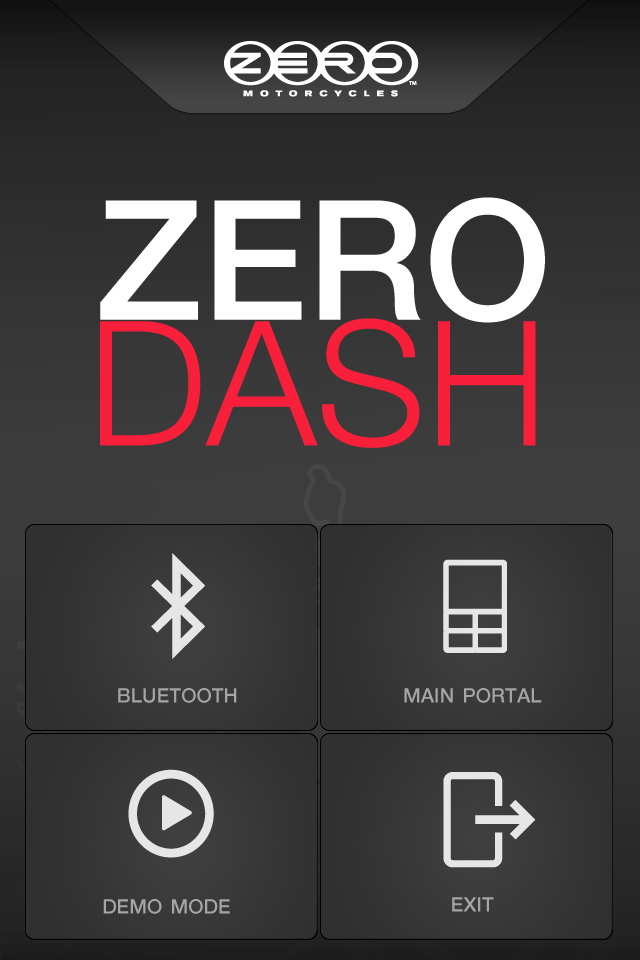
Iteration for the onboarding welcome “Get Started” screen.
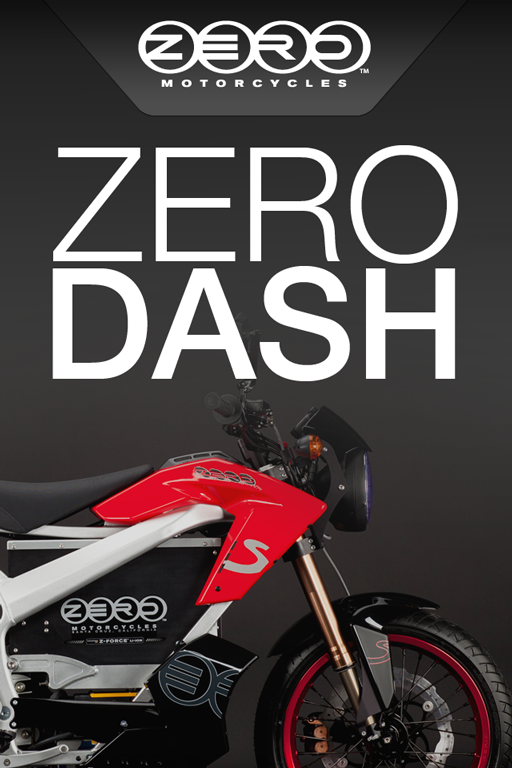
Splash screen mock iteration

Early iteration for the splash screen.
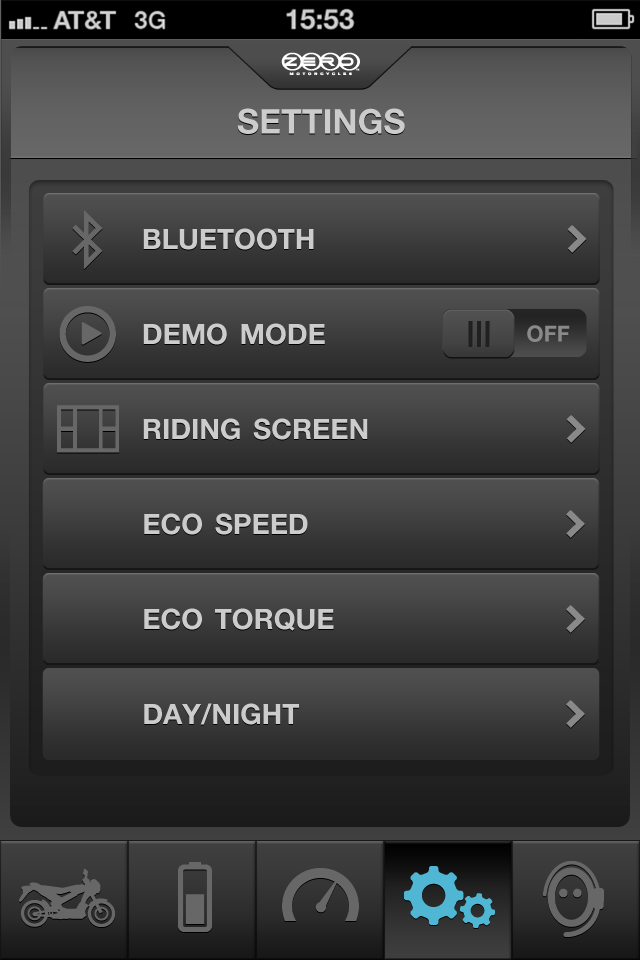
Settings mock iteration

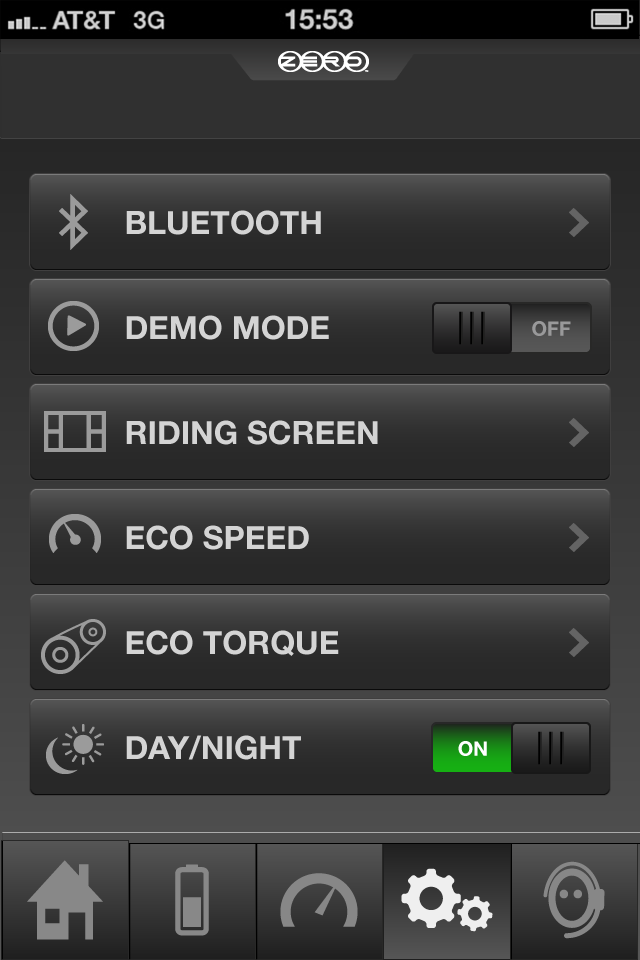
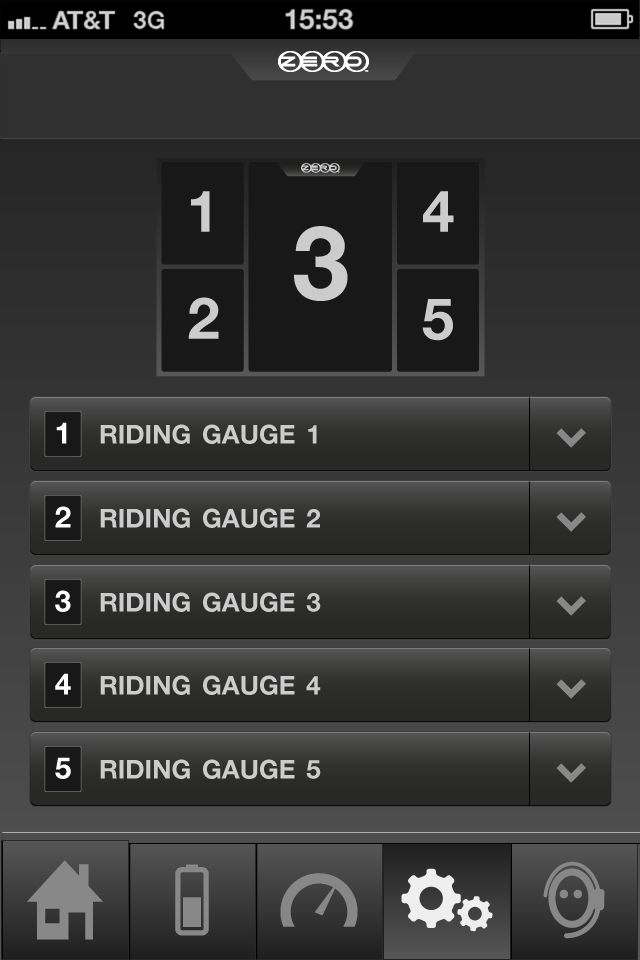
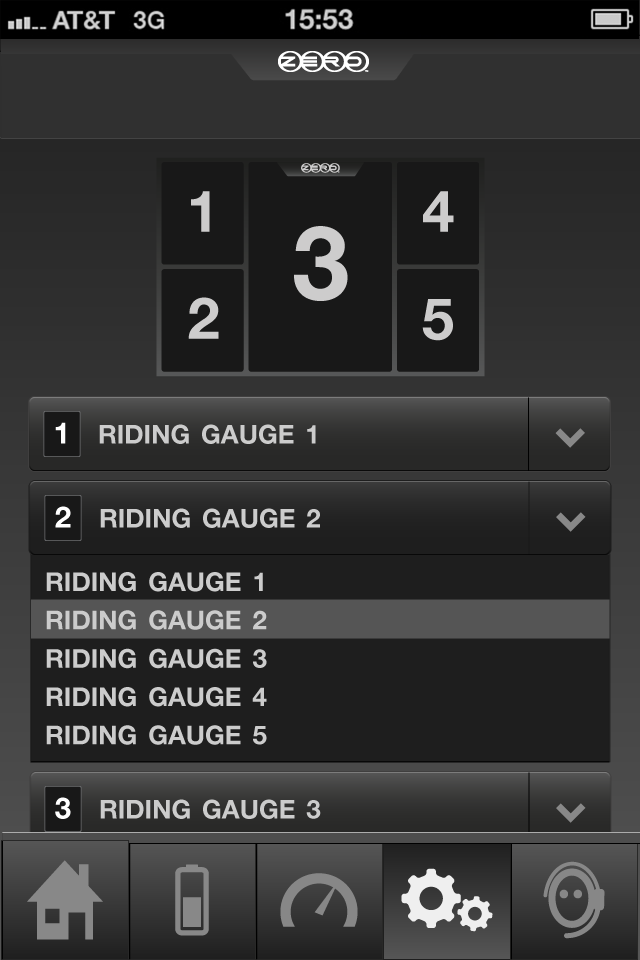
Iteration for the riding gauge settings screen.

Gauge components

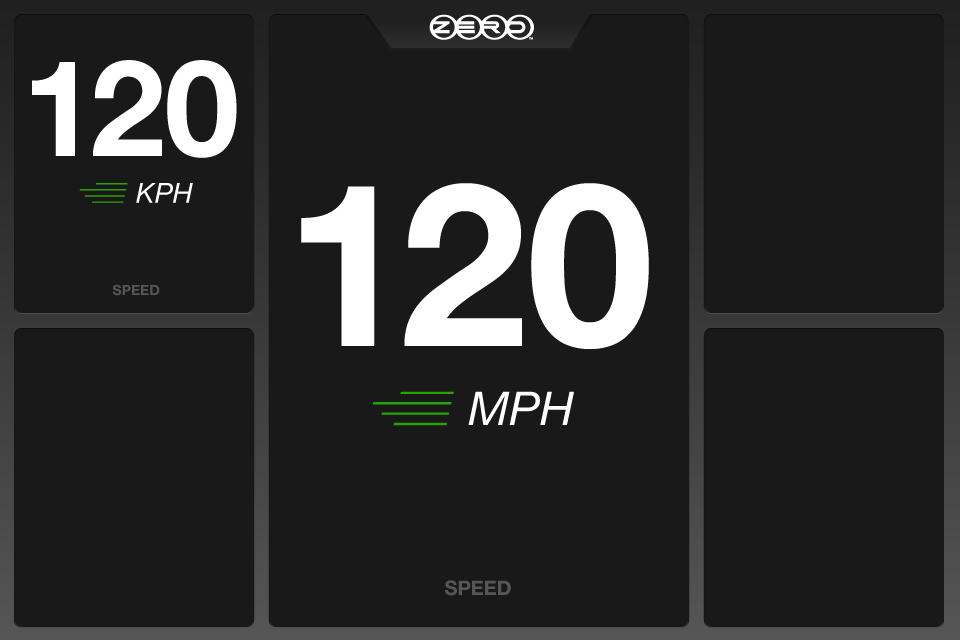
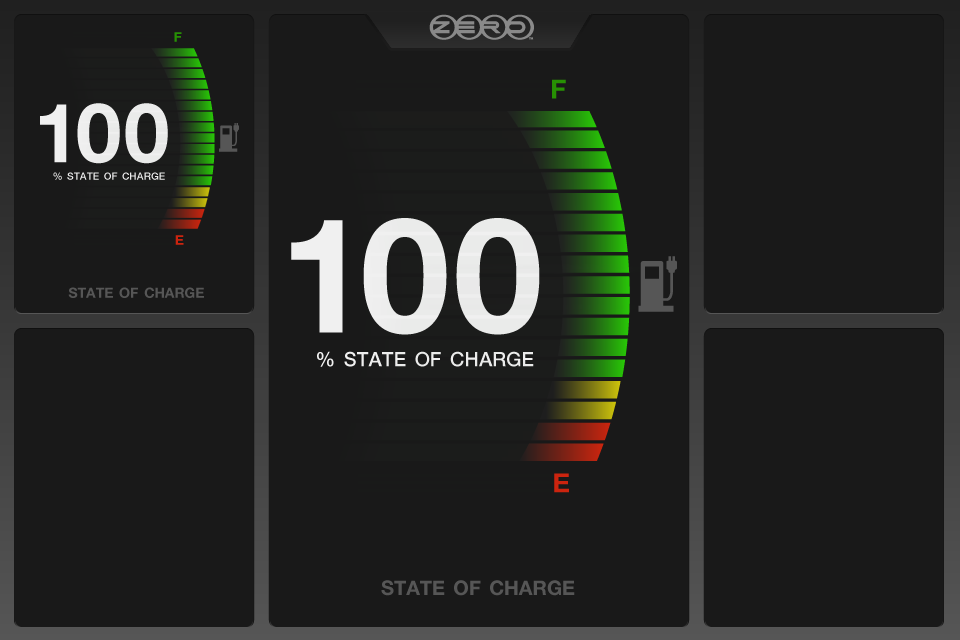
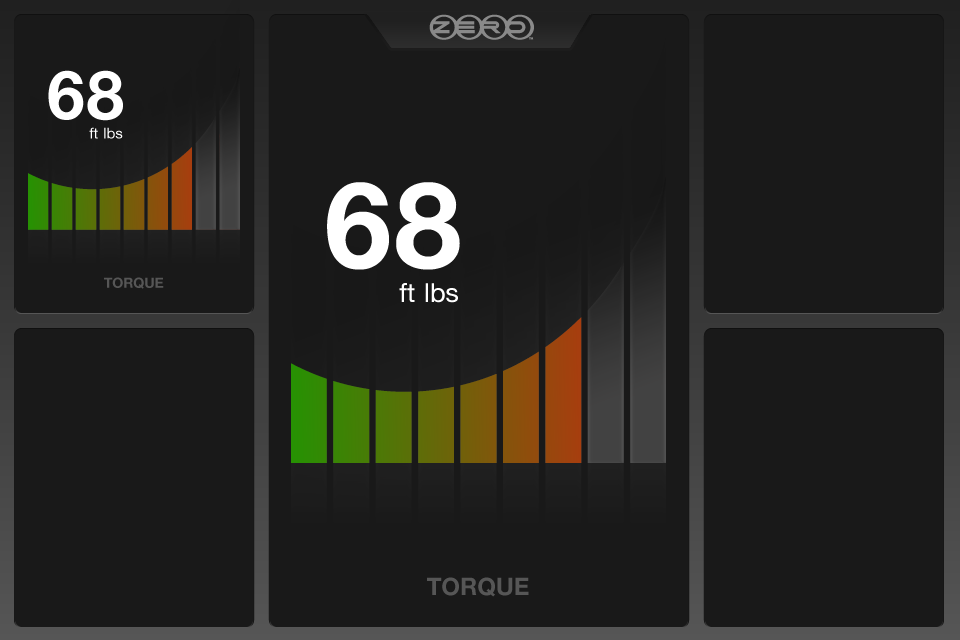
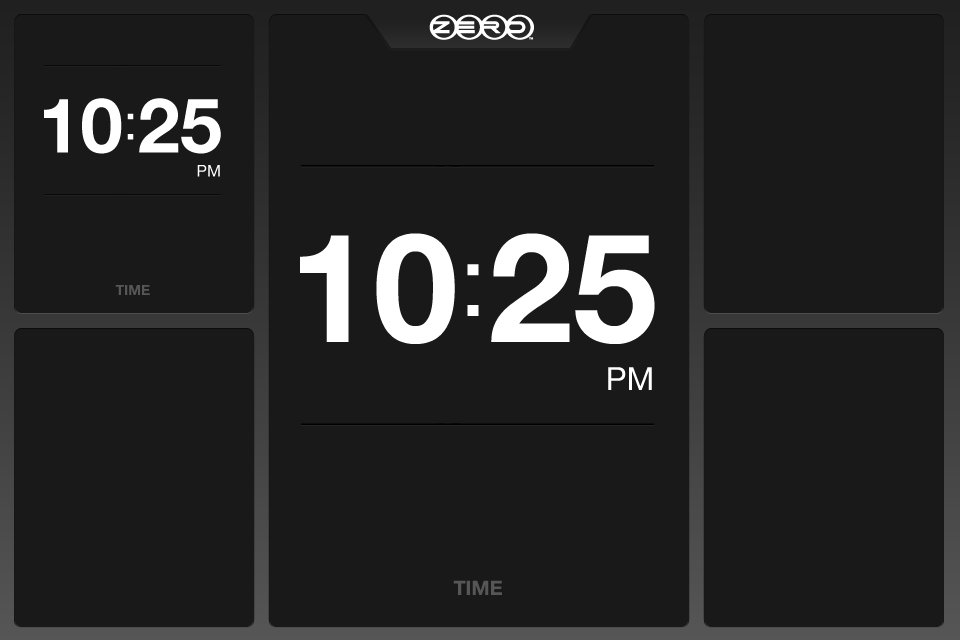
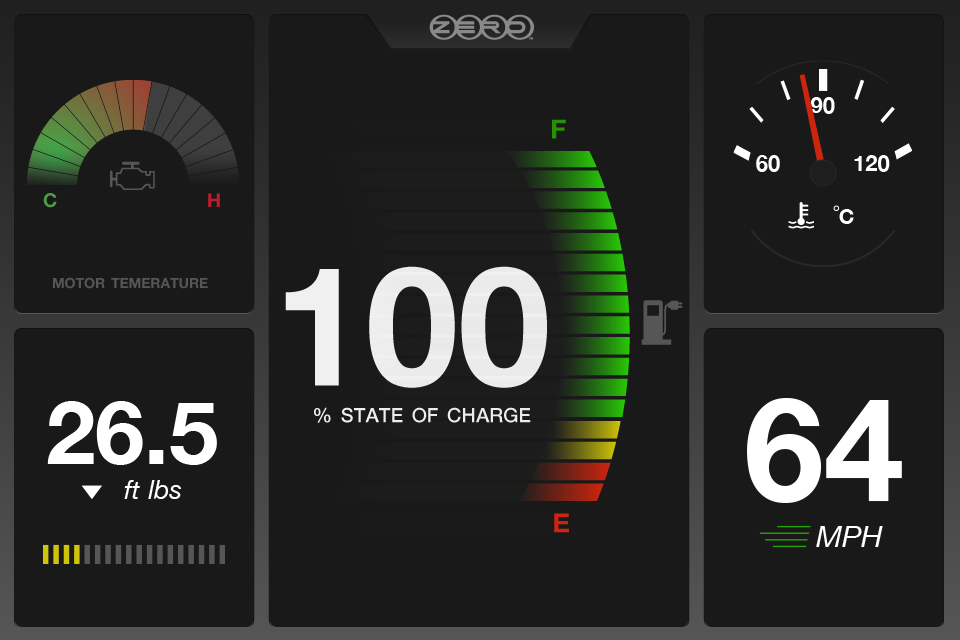
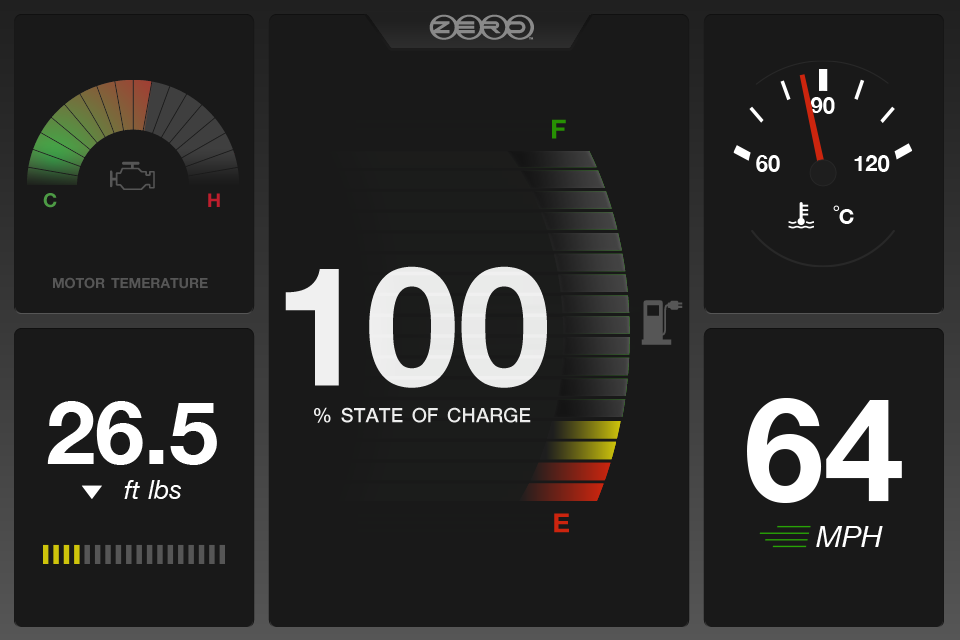
The live riding mode dashboard is divided into 5 gauge areas. Four quadrants surround a central position, with the middle slot serving as the primary gauge — the most prominent and largest display, reserved for whichever metric the rider considers most critical. Each of the remaining four quadrants can be independently configured to show any gauge type the rider chooses. This flexible grid meant no two riders needed an identical dashboard, and the setup could be changed before any ride.

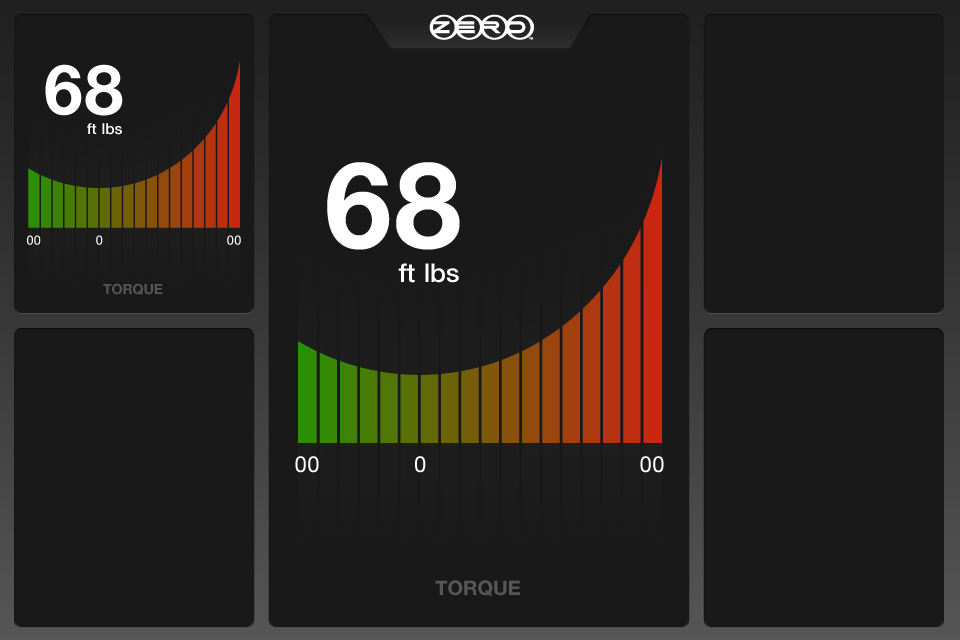
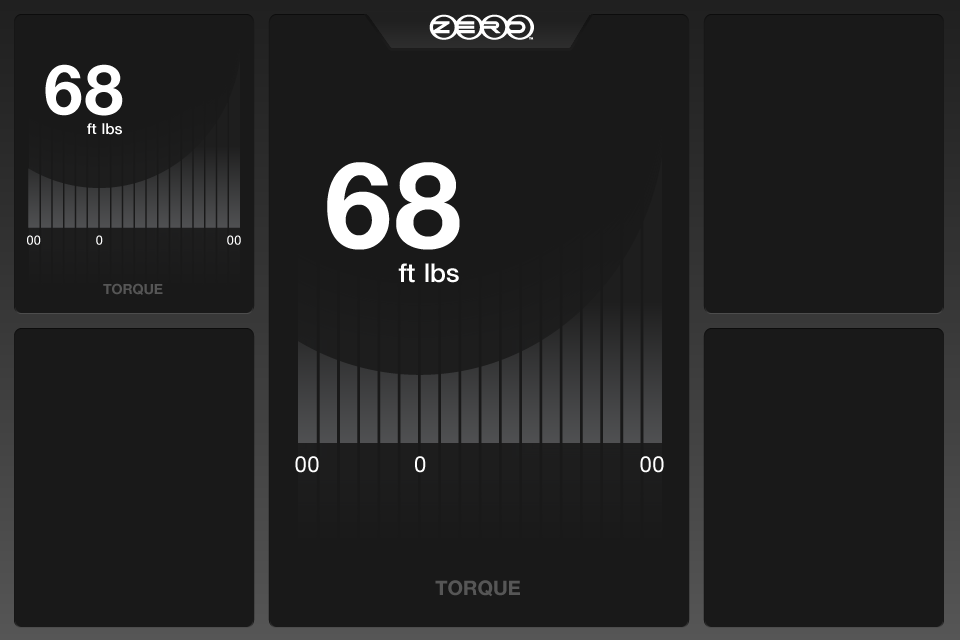
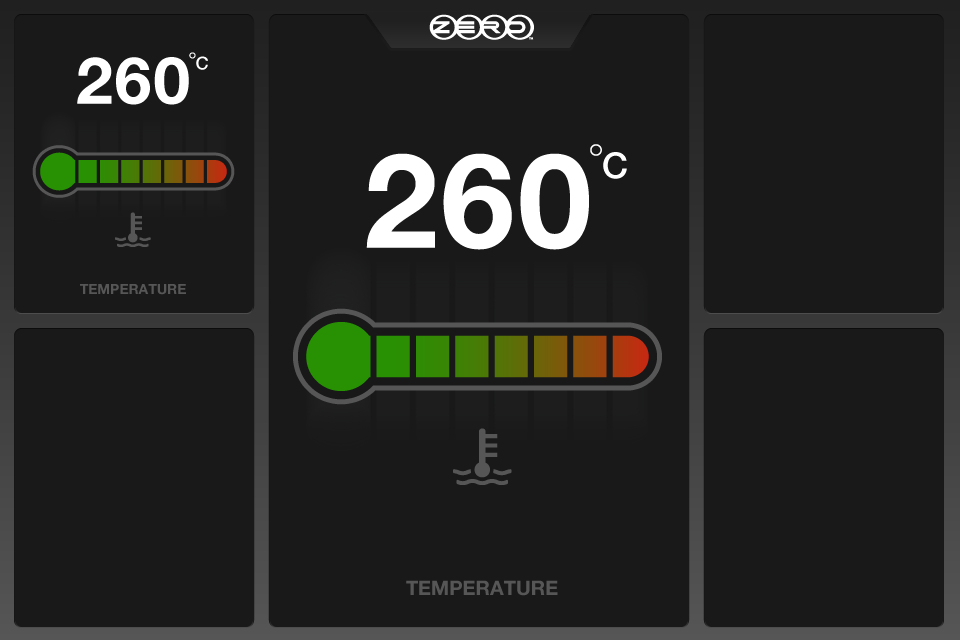
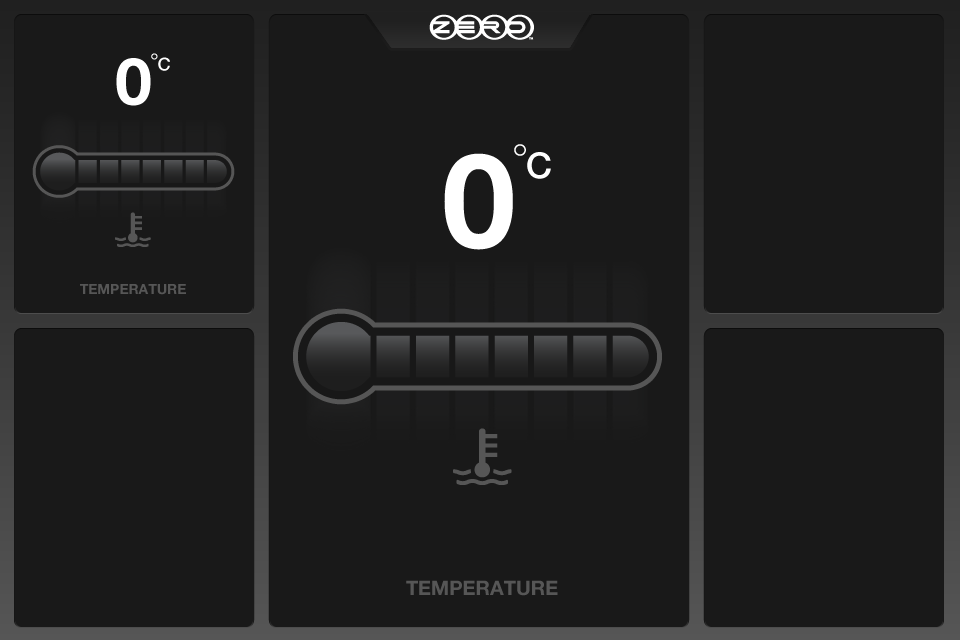
Individual gauge components were designed for each rideable metric, across fill states and data ranges.
Speed gauge component
State of charge gauge component
Torque gauge component
Torque gauge full state
Torque gauge empty state
Temperature gauge full state
Temperature gauge empty state
Time gauge component
09 — Final Comps

The complete ride experience, screen by screen

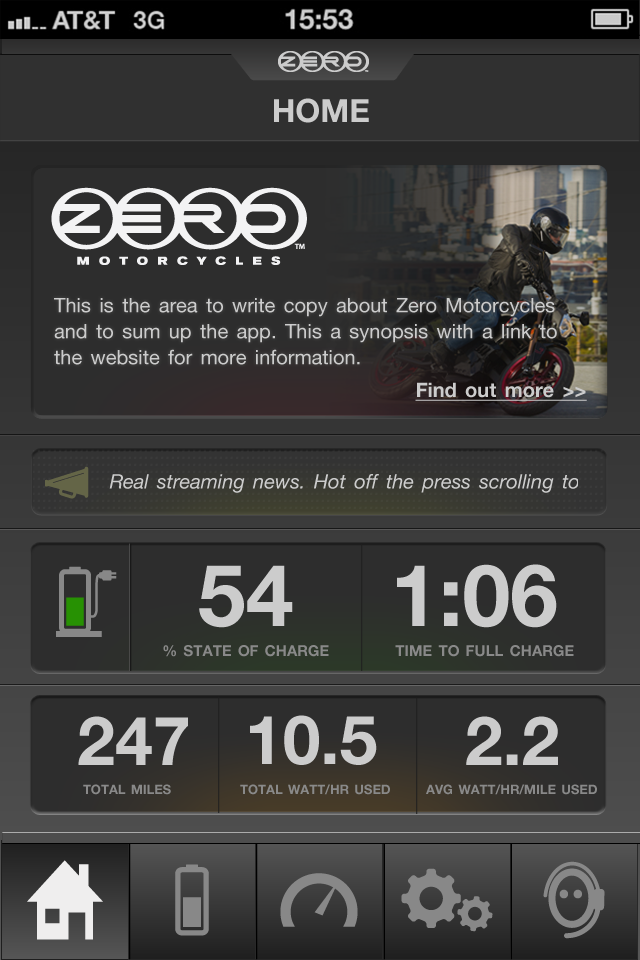
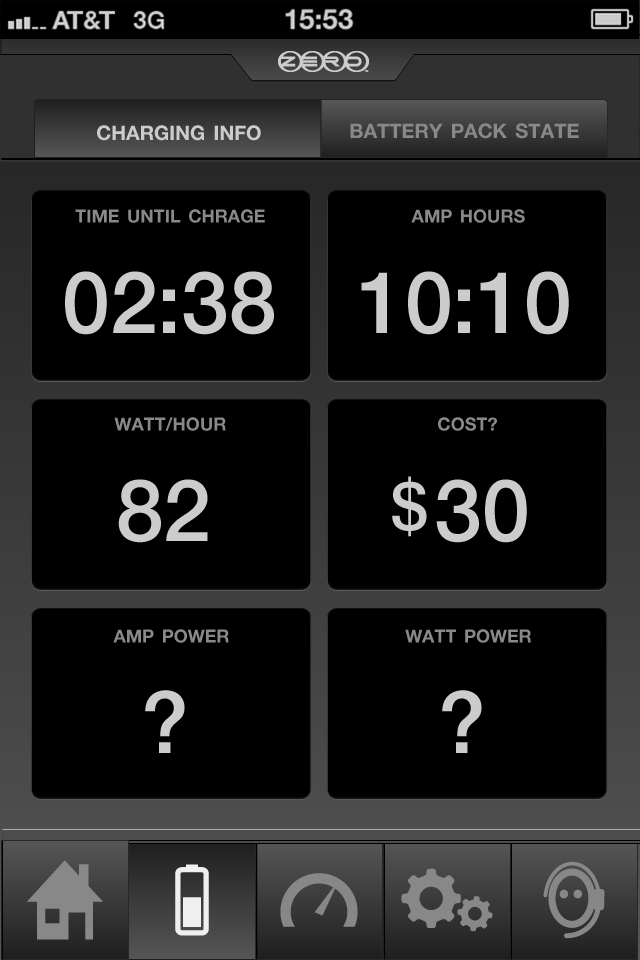
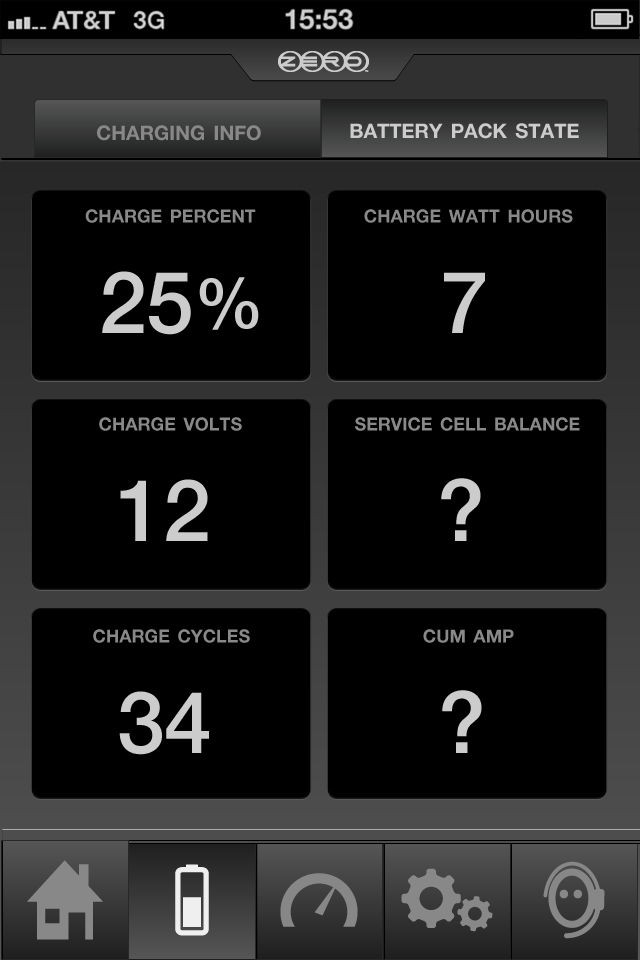
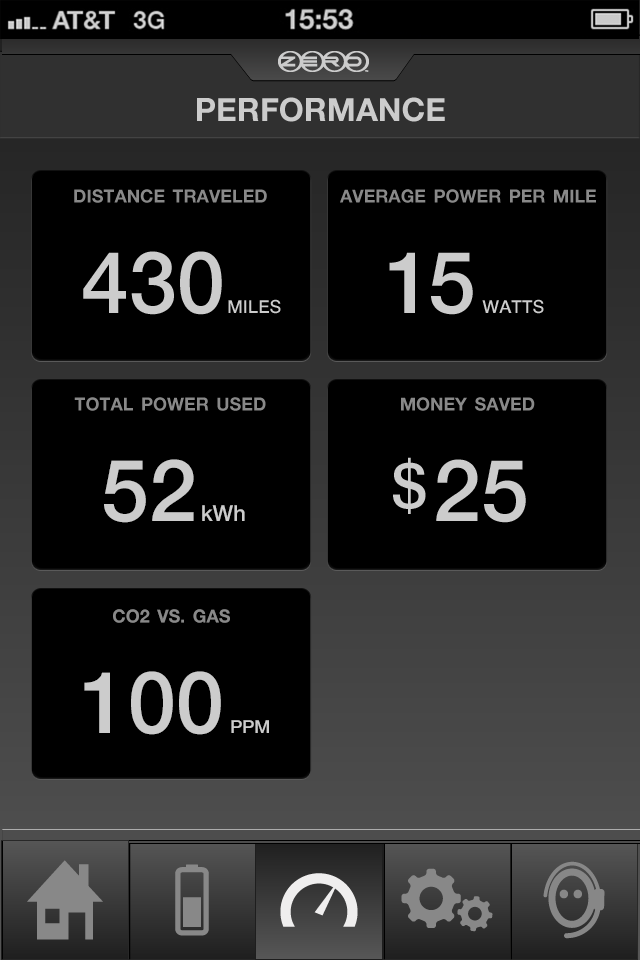
Final high-fidelity comps covering the full app flow: onboarding and welcome, home dashboard, battery and range monitoring, performance tracking, ride setup configuration, support, and the live-ride experience. Tap any screen to view at full size.

Onboarding & Home

Final mock: splash screen
Final mock: welcome screen
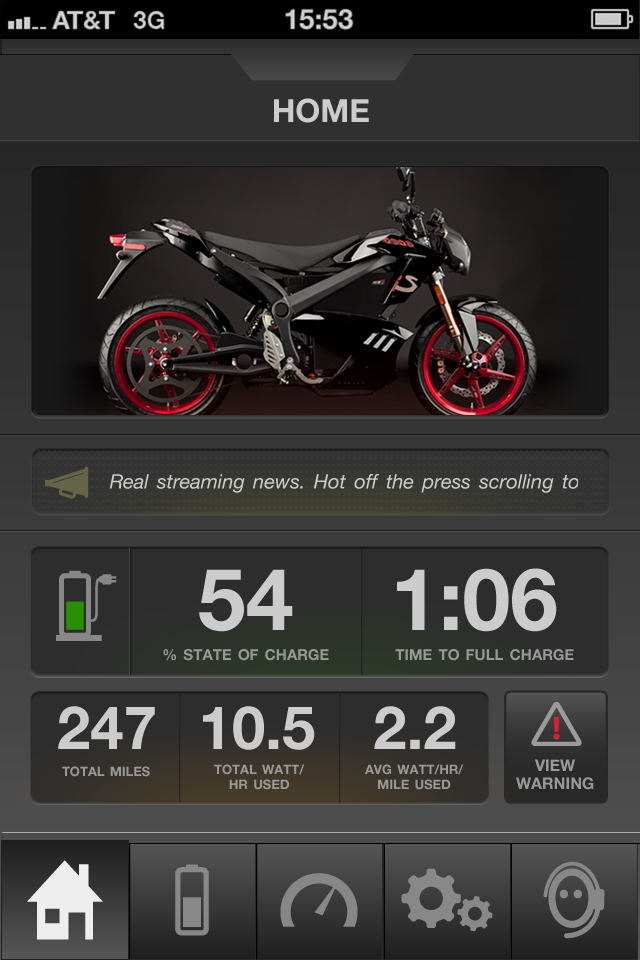
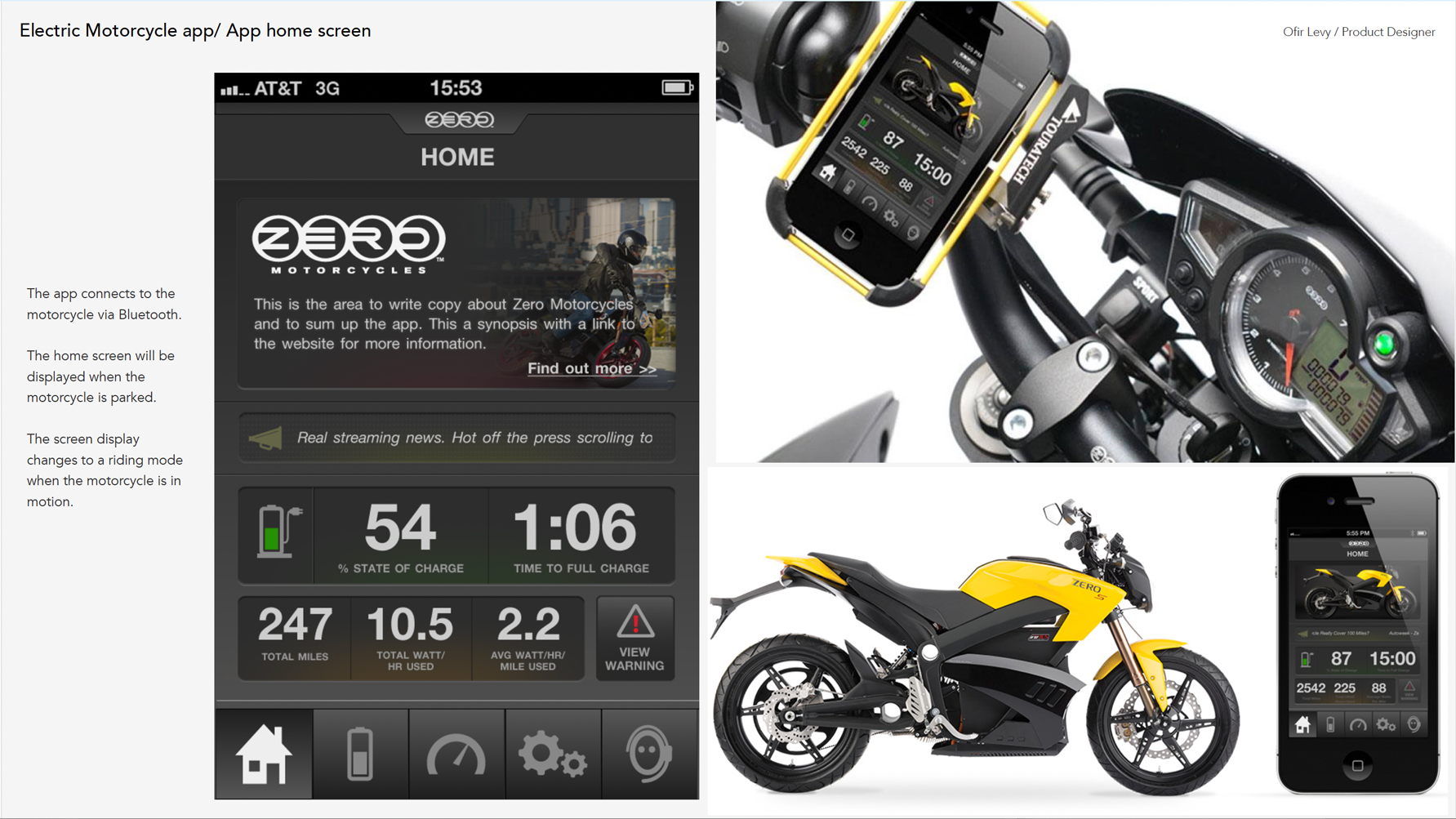
Final mock: home screen 1
Final mock: home screen 2

Battery & Performance

Final mock: battery screen 1
Final mock: battery screen 2
Final mock: performance screen
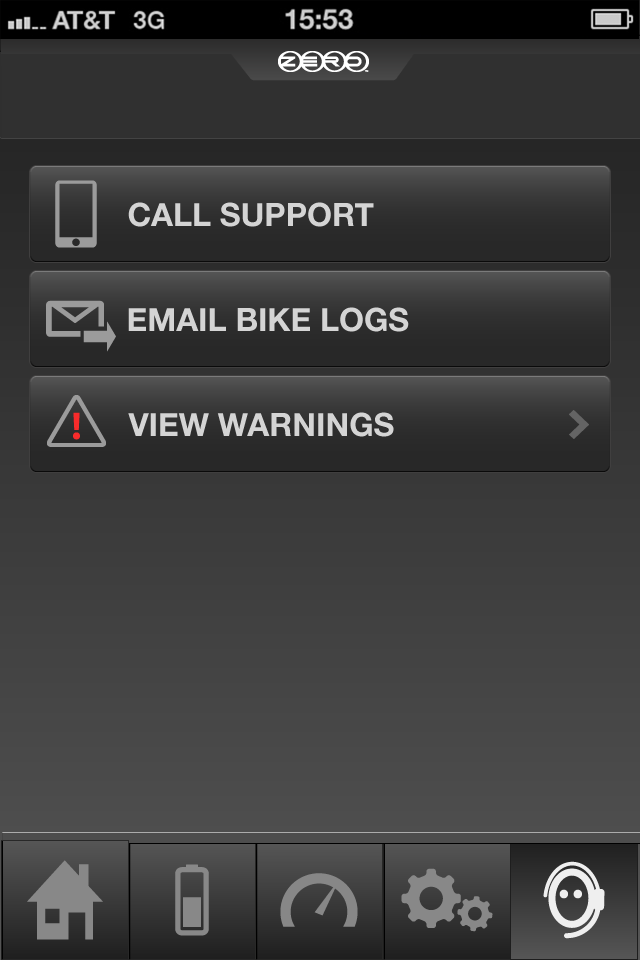
Final mock: support screen

Ride Setup

Final mock: ride setup screen 1
Final mock: ride setup screen 2
Final mock: ride setup screen 3

Live Ride

Final mock: live ride screen 1
Final mock: live ride screen 2

A product the riding community felt immediately

The app launched alongside Zero’s 2014 model year motorcycles and was positioned as a core part of the Zero ownership experience. Press and rider community response was strong. Technology and motorcycle publications covered the app as a differentiating feature in the electric motorcycle space, noting that Zero was setting a new bar for digital rider experience at a time when most motorcycle brands had nothing comparable.

Riders praised the ability to customize their dashboard, the reliability of the Bluetooth connection, and — above all — the battery range visibility that gave them confidence on longer trips. The live-ride dashboard was the feature that generated the most emotional response: seeing your torque, speed, and battery state in real time changed how riders related to their machine.

“The Zero app transforms the smartphone into something the motorcycle should have had from day one. Real-time performance data, range visibility, and a live dashboard that responds to every twist of the throttle. This is what connected riding should feel like.”

Electric Motorcycle press reception — 2014 launch coverage

“I’ve been riding Zero for two years. This app changes everything about how I plan my commute. I used to guess on range; now I know. I used to wonder what my torque output looked like; now I can see it. It’s addictive, honestly.”

Zero Motorcycles owner — rider community feedback

“Customers loved and appreciated the addition of a performance app to the overall riding experience. It became a clear value-add to the Zero ownership proposition and something riders talked about with genuine enthusiasm.”

Zero Motorcycles internal product feedback — post-launch

“The setup flow for the ride dashboard is exactly right. I can configure exactly what I want to see, in the order I want to see it, and then the app gets out of my way. That’s rare. Most apps like this want to show you everything. This one asks what you care about.”

Zero Motorcycles rider — post-launch user feedback

Zero Motorcycles app final outcome
11 — Continuous Research & Evolution

Staying in dialogue with the rider community

Shipping the app wasn’t the end of the design process — it was the beginning of a more direct and data-rich feedback loop. Post-launch, I continued to work closely with Zero’s team and their customer community to identify friction, surface unmet needs, and prioritize future development.

Riders brought nuanced requests: different gauge configurations for city versus highway riding, the ability to set personal thresholds and alerts for battery percentage, and more detailed trip history with exportable data. These weren’t edge-case requests — they reflected how seriously Zero’s customers engaged with performance data.

The most meaningful insight from post-launch research was about the emotional dimension of the data. Riders didn’t just want information — they wanted to feel connected to their machine. Understanding torque output, seeing energy regeneration in real time, watching the battery recover on a downhill run: these were not merely utility features. They were part of what made riding a Zero different from riding anything else.
This shaped how we thought about future iterations: not just more data, but more meaningful data, presented at the right moment, in a way that deepened the rider’s relationship with the experience.

Insight 01

Personalization is a core need

Every rider had different priorities. The ability to configure which stats appeared on the live dashboard was not a feature — it was a fundamental design requirement that the research validated clearly.
Insight 02

Data reduces anxiety

Battery range anxiety was the dominant emotional challenge for new Zero riders. Transparent, always-visible range data — not buried in menus — had a direct and measurable impact on rider confidence and enjoyment.

Insight 03

Connection, not just information

The app’s highest-value function was emotional: making riders feel connected to the machine. The most appreciated features were those that revealed what the motorcycle was doing, not just what the rider was doing.

← Return to design case studies